
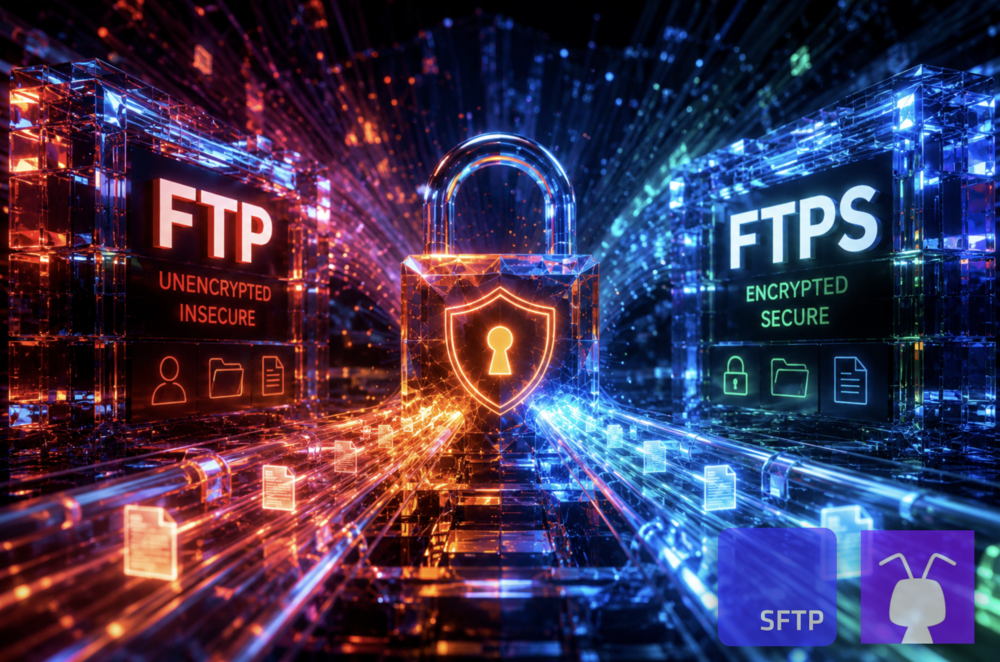
FTP and FTPS are closely related, but they’re certainly not equal.
FTP, or File Transfer Protocol, is the older protocol. It moves files between a client and server, but it doesn’t encrypt usernames, passwords, commands, or file data by default.
FTPS, or File Transfer Protocol Secure, keeps the FTP model and adds SSL/TLS encryption. That makes FTPS the safer choice when you need FTP-style file transfer but can’t send credentials or files in clear text.
To sum it up:
- FTP is simple, old, and unencrypted by default.
- FTPS is FTP secured with SSL/TLS.
- Use FTPS instead of FTP when files, credentials, or business data need protection.
- Use plain FTP only for non-sensitive legacy workflows on controlled networks, and even then, treat it as temporary.
FTP vs. FTPS comparison table
| Feature | FTP | FTPS |
|---|---|---|
| Full name | File Transfer Protocol | File Transfer Protocol Secure |
| Security | No encryption by default | SSL/TLS encryption |
| Credentials | Sent in clear text by default | Encrypted when TLS is enforced |
| File data | Sent in clear text by default | Encrypted when the data channel is protected |
| Control port | Usually port 21 | Port 21 for explicit FTPS, port 990 for implicit FTPS |
| Data ports | Separate data connection | Separate data connection, usually with passive ports |
| Authentication | Username and password | Username/password plus server certificates, sometimes client certificates |
| Firewall setup | Can be awkward because of separate data ports | Usually more complex because FTP ports and TLS both need handling |
| Best fit | Legacy or non-sensitive transfers | FTP-compatible workflows that need encrypted transport |
| Main risk | Clear-text credentials and files | Misconfiguration, certificate issues, passive port complexity, or unsafe fallback to FTP |
What is FTP?
FTP stands for File Transfer Protocol. It’s one of the oldest file transfer protocols still in use. It was built to move files between a client and a server over a TCP/IP network. It became popular because it was simple, predictable, and supported by almost everything.
The problem is that FTP wasn’t built for today’s security expectations. By default, it sends usernames, passwords, commands, directory listings, and file contents without encryption. That makes FTP a poor fit for customer records, financial files, healthcare files, credentials, backups, regulated data, or anything confidential.
FTP still turns up in old vendor processes, internal tools, hosting environments, and legacy file jobs. For sensitive business use, though, plain FTP isn’t a safe option.
What is FTPS?
FTPS stands for File Transfer Protocol Secure. It’s FTP with SSL/TLS security added. The idea is: keep FTP compatibility, but encrypt the connection between the client and server.
That means older FTP-style workflows can often keep using familiar commands, clients, and transfer patterns, while TLS protects credentials and file data in transit.
FTPS is useful when a business still needs FTP-style file transfer, but plain FTP is no longer acceptable.
Common reasons to use FTPS include:
- A partner requires FTP-compatible transfer.
- A legacy system already supports FTPS.
- Existing tools expect FTP behavior.
- TLS certificate-based trust is preferred.
- The files need encrypted transport.
- The firewall and passive port setup can be managed properly.
FTPS isn’t just a switch you flip. It has to be configured carefully. It's useful when TLS is enforced properly and plain FTP fallback is blocked. In a managed service like SFTP To Go, those security and configuration details are handled as part of the file transfer environment, so teams can support FTPS compatibility without running the server themselves.
FTP vs. FTPS: the main difference is encryption
The main difference between FTP and FTPS is encryption. FTP sends traffic in clear text by default. FTPS adds SSL/TLS so credentials, commands, and file contents can be encrypted while moving between the client and server.
That changes the risk level. With FTP, anyone who can inspect the network path may be able to read usernames, passwords, directory listings, commands, and files. With FTPS, that traffic can be protected when TLS is required and configured correctly.
FTPS can also help the client verify the server’s identity through certificates. That gives the client a way to check that it’s connecting to the expected server before sending login details or files.
So FTP answers the basic question: can we move files? FTPS answers the better question: can we move files without exposing credentials and data in transit?
FTP vs. FTPS ports: port 21, port 990, and data ports
FTP and FTPS both use a control connection and a separate data connection. The control connection handles commands such as login, upload, download, rename, delete, and directory listing requests. The data connection handles the actual file transfer or directory listing.
FTP usually uses port 21 for the control connection. In older active FTP setups, port 20 may be used for data. In passive mode, the server provides a passive data port and the client opens the data connection to that port.
FTPS depends on the mode:
- Explicit FTPS usually starts on port 21.
- Implicit FTPS usually starts on port 990.
- Implicit FTPS data may use port 989.
- Passive FTPS usually needs a configured passive data port range.
That’s why “FTPS uses port 990” is only half true. Port 990 usually refers to implicit FTPS. Explicit FTPS usually starts on port 21.
FTP vs. FTPS and passive mode
FTP’s separate control and data connections are the reason firewall setup can get rather annoying. In active mode, the server opens a data connection back to the client. That often causes problems when the client is somewhere behind a firewall or NAT.
In passive mode, the client opens both the control connection and the data connection to the server. That usually works better with modern firewalls, but the server still needs a passive port range that the firewall allows.
FTPS adds TLS to the same FTP connection model. That improves security, but it can make troubleshooting harder when firewalls, NAT, certificates, and passive ports aren’t aligned.
This is the tradeoff with FTPS. You get encrypted FTP-compatible transfer, but you keep FTP’s older connection behavior. If you’re not tied to FTP compatibility, it’s worth looking at SFTP too. It’s a separate, SSH-based protocol that encrypts the full session and is often easier to manage through firewalls. Plus, SFTP To Go's service supports both FTPS and SFTP, giving you the flexibility to use both as and when they're appropriate.
Explicit FTPS vs. implicit FTPS
FTPS has two connection styles: explicit and implicit.
Explicit FTPS usually starts on port 21. The client connects first, then asks to upgrade the session to TLS before authentication and file transfer. This is the preferred FTPS mode for most current deployments.
Implicit FTPS usually starts on port 990. The connection is expected to use TLS from the start. If the client doesn’t begin with TLS, the server should reject the connection.
Remember this:
- Use explicit FTPS unless a partner specifically requires implicit FTPS.
- Treat implicit FTPS as legacy.
- Don’t ever allow plain FTP fallback for sensitive workflows.
Port 990 still appears in older systems and documentation, but explicit FTPS is usually the better choice when you control the setup, and it's the style used in managed multi-protocol transfer solutions like SFTP To Go.
Is FTP secure?
No. FTP isn’t secure by default. It doesn’t encrypt usernames, passwords, commands, or file data. Anyone who can inspect the network path may be able to read or capture that information.
That isn’t acceptable for most business file exchange today!
FTP should not be used for personal data, healthcare data, financial records, supplier files, customer exports, credentials, backups, or regulated data.
FTP may still be tolerated for temporary, non-sensitive, legacy workflows on controlled networks, but if the data has any business or compliance value, FTP should be replaced.
Is FTPS secure?
FTPS can be secure when it’s configured properly. A secure FTPS setup should require TLS before authentication, protect the data channel, use valid certificates, reject unencrypted fallback, and log user and file activity.
FTPS can also support certificate-based server authentication, and some setups use client certificates as well. The important point is that the security depends on the configuration, not the acronym.
Where FTPS goes wrong is usually with: servers that still allow plain FTP, data channels that aren’t encrypted, expired certificates, weak TLS settings, loose passive port ranges, stale accounts, or missing logs.
If those pieces are handled properly, FTPS is a much safer choice than FTP. With SFTP To Go, FTPS sits inside a managed file transfer setup that also includes controlled credentials, protected storage, audit logs, APIs, webhooks, and access controls, so teams aren’t left securing and monitoring a standalone FTP server themselves.
FTP vs. FTPS for compliance
FTP doesn’t meet modern expectations for transferring sensitive data because it sends traffic without encryption by default.
FTPS can help support compliance requirements because it encrypts data in transit. That’s useful for workflows involving healthcare, finance, education, retail, supplier exchange, or confidential business files. It's best used in conjunction with SFTP for compliance and flexibility.
But FTPS alone doesn’t make a workflow compliant. You still need access controls, strong authentication, certificate management, activity logging, retention policies, account review, encryption at rest where files are stored, monitoring, and incident response.
FTPS protects the transfer. The wider file exchange setup still has to be governed properly.
FTP vs. FTPS performance
FTP can be faster in raw terms because it doesn’t encrypt traffic. That’s not a good trade for sensitive data. Sending credentials and files in clear text isn’t worth a small performance gain.
FTPS adds TLS encryption, so there can be some overhead. In most business workflows, the security benefit is 100% worth it.
Performance depends on the actual setup: file size, number of files, TLS settings, server resources, client behavior, network latency, firewall inspection, and passive port configuration. To get into FTPS performance and what really goes into it, explore out FTPS vs. SFTP benchmarks.
For most teams, it's misleading to ask which protocol is faster. It’s which one can move files safely and reliably without creating unnecessary support work.
When should you use FTP?
Use FTP only in narrow situations when you absolutely have to and security means nothing.
FTP may be acceptable when the files are non-sensitive, the network is controlled, the workflow is legacy, the use is temporary, and there’s a plan to move to a secure option. That’s a short list for a reason.
If the file contains business data, personal data, customer data, payment information, healthcare information, credentials, or anything regulated, FTP shouldn’t be used.
When should you use FTPS?
Use FTPS when you need FTP-compatible file transfer with TLS encryption. FTPS is a good fit when an older tool, partner, or process still expects FTP-style behavior, but the transfer can’t be left unencrypted.
It’s especially useful when a partner requires FTPS, a legacy system already supports it, existing FTP tools need to keep working, certificate-based trust is preferred, and the network team can manage passive ports and firewall rules.
FTPS is often the sensible replacement for FTP when the workflow still depends on FTP compatibility. Still, we recommend you use SFTP for sensitive workflows, and FTPS as needed.
FTP vs. FTPS: which should you choose?
Choose FTPS over FTP for any sensitive or business-critical file transfer. FTP still moves files, but it doesn’t protect them. FTPS keeps FTP compatibility while adding SSL/TLS encryption, certificate support, and safer transport.
Choose FTP only for non-sensitive legacy transfers where risk is low and replacement is already planned. Choose FTPS when you need encrypted file transfer, FTP-compatible tools, TLS certificates, better protection for credentials, safer partner exchange, or a path away from plain FTP.
Between FTP and FTPS, FTPS is 100% the better, more secure choice. The catch is that it must be configured to require encryption and reject unsafe fallback, which is luckily easy when you use a secure MFT like SFTP To Go.
FTP and FTPS in managed file transfer (MFT)
The protocol is only one part of file transfer. A business workflow usually needs more than a port, a login, and a folder. You may also need user isolation, partner folders, audit logs, storage controls, notifications, APIs, web access, and a way to review what happened when a transfer fails.
That’s where managed file transfer can help.
SFTP To Go supports secure file transfer with FTPS, SFTP, and HTTPS, built-in managed S3 cloud storage, access controls, audit logs, APIs, webhooks, browser-based file access, and controls around file exchange.
That means teams can support FTPS where compatibility is needed without managing every part of the transfer environment themselves.
FTP vs. FTPS: what's the verdict?
FTP vs FTPS is not a close contest. FTP is old, simple, and unencrypted by default. FTPS keeps the FTP model but adds SSL/TLS encryption, making it the safer choice for sensitive or business file transfer.
Use FTP only for narrow, non-sensitive legacy use cases. Use FTPS when you need FTP compatibility with encrypted transport. For modern business workflows, plain FTP should simply not be in use.
Frequently asked questions
Is FTPS better than FTP?
Yes. FTPS is better than FTP for sensitive file transfer because it adds SSL/TLS encryption. FTP sends usernames, passwords, commands, and file data without encryption by default.
What is the difference between FTP and FTPS?
FTP is the original File Transfer Protocol. FTPS is FTP secured with SSL/TLS. The main difference is that FTP sends traffic in clear text by default, while FTPS can encrypt credentials, commands, and file data.
Does FTPS use SSL or TLS?
FTPS originally used SSL terminology, but modern FTPS should use TLS. You may still see names such as FTP over SSL, FTP over TLS, FTP-SSL, and Secure FTP.
What port does FTPS use?
Explicit FTPS usually starts on port 21. Implicit FTPS usually uses port 990. FTPS may also need separate data ports for directory listings and file transfers, especially in passive mode.
What is explicit FTPS?
Explicit FTPS starts like a normal FTP connection, usually on port 21. The client then requests TLS before authentication and file transfer. Explicit FTPS is the preferred mode for most current FTPS deployments.
What is implicit FTPS?
Implicit FTPS expects TLS from the start of the connection, usually on port 990. It is older and generally treated as a legacy FTPS mode unless a partner or system specifically requires it.
Is FTP secure?
No. FTP is not secure by default because it does not encrypt credentials, commands, or file data. It should not be used for sensitive, confidential, regulated, or business-critical file transfer.
Is FTPS secure?
FTPS can be secure when it is configured properly. A secure FTPS setup should require TLS, protect the data channel, use valid certificates, reject unencrypted fallback, and log user and file activity.
Why does FTPS cause firewall issues?
FTPS keeps FTP’s separate control and data connections. In passive mode, the server uses a range of data ports, which must be allowed through firewalls and NAT. TLS can also make inspection and troubleshooting harder if the network is not configured for FTPS.
When should I use FTPS instead of FTP?
Use FTPS when you need FTP-compatible file transfer but the files, credentials, or partner workflow require encrypted transport. Use plain FTP only for non-sensitive legacy workflows on controlled networks, and preferably only while moving to a secure option.