Use this SOC 2 compliance checklist to define your audit scope, map controls to the Trust Services Criteria, and gather evidence for a Type 1 or Type 2 examination. It’s for security, engineering, and compliance teams at SaaS companies, cloud providers, and other service organizations.
SOC 2 Audit Readiness Checklist
Start by defining the service the report will cover. That decision determines which systems, teams, and providers you’ll need to document.
- Report Type. Confirm what report your customers need and agree on timing with your CPA firm.
- System Scope. Describe the service, the data it handles, the teams and systems that support it, and the providers it depends on.
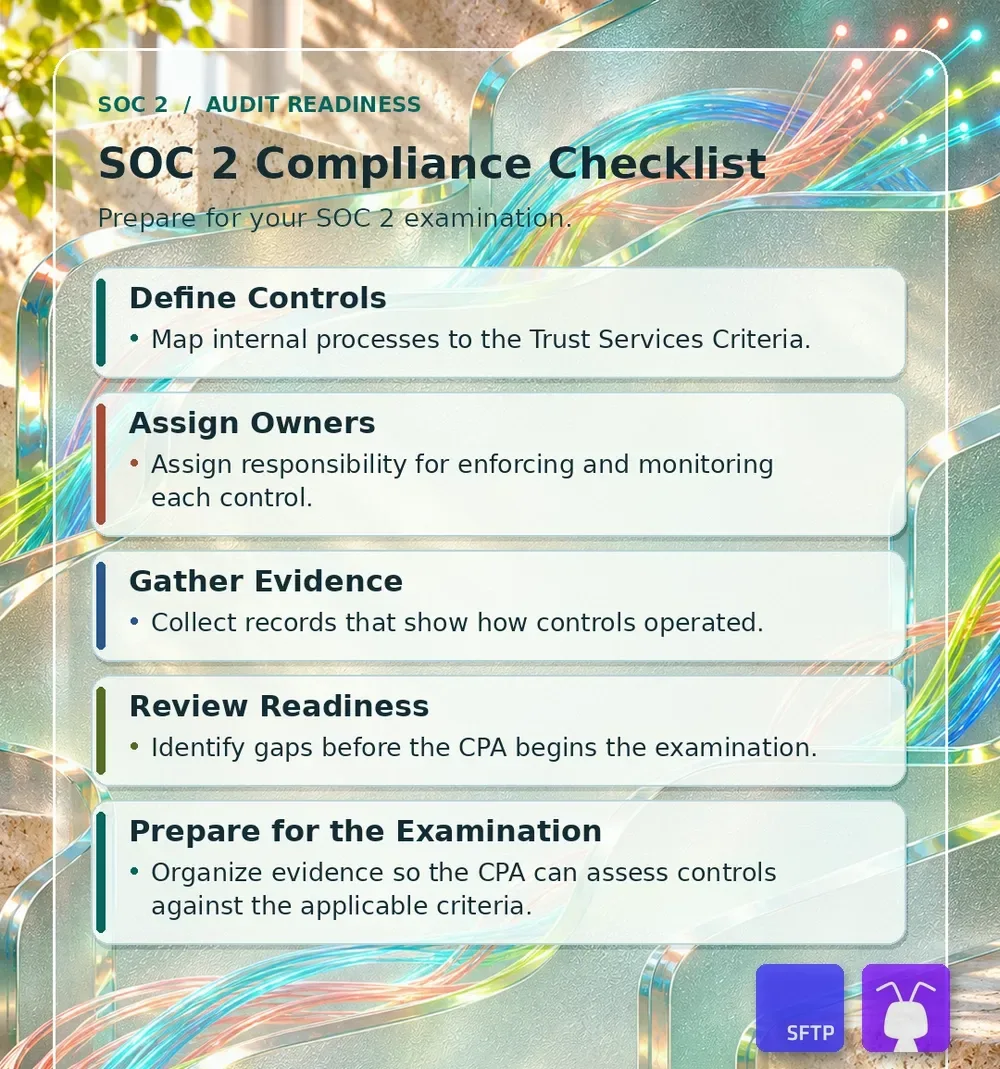
- Define Controls. Map each in-scope process to the applicable Trust Services Criteria. Describe the control, when it runs, and the evidence it produces. For example, map partner account offboarding to access removal under CC6.2.
- Assign Owners. Name the person who performs each control and, where applicable, the reviewer. Record who handles exceptions and follows up on corrective actions.
- Gather Evidence. Keep dated records as the work happens. Save approvals, access reviews, test results, and remediation tickets with enough context to show what was done.
- Review Readiness. Check for missing controls, missed reviews, and evidence gaps before the CPA begins the examination. Assign owners and due dates for fixes and document any exceptions.
- Prepare for the Examination. Review the system description, control mapping, and evidence together. Organize the records by control and examination period so your CPA can trace them.
SOC 2 Type 1 vs. Type 2
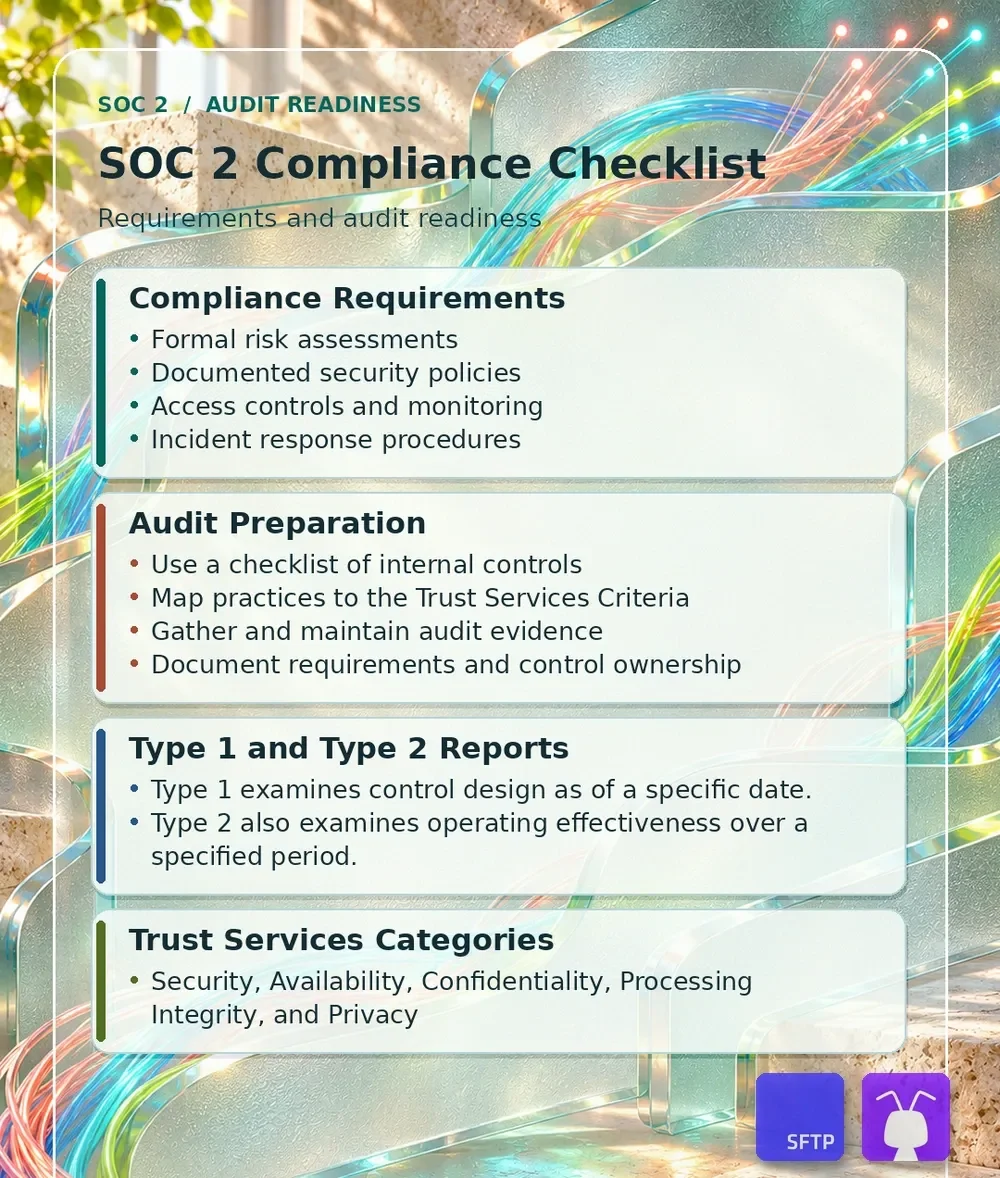
A SOC 2 Type 1 report examines the system description and whether controls are suitably designed as of a specific date. A Type 2 report also examines whether those controls operated effectively over a specified period.
Scroll horizontally to see more columns.
| Report | What the CPA Examines | Evidence to Prepare |
|---|---|---|
| Type 1 | System description and suitability of control design as of a specified date. | Approved policies, system description, configurations, and records showing how controls were implemented as of that date. |
| Type 2 | System description, suitability of control design, and operating effectiveness throughout a specified period. | Type 1 evidence plus dated records of operation across the period, including reviews, approvals, and follow-up. |
The AICPA’s SOC 2 Description Criteria can help you write the system description. If customers send files over SFTP for processing, trace where the files enter, where they’re stored, who can access them, and which outside services handle them. That gives your team something concrete to review when deciding where the system boundary belongs.
SOC 2 Requirements and the Trust Services Criteria
Security is required in a SOC 2 examination. Its Common Criteria also apply to the other Trust Services Categories in scope. Availability, Processing Integrity, Confidentiality, and Privacy are added based on your system and service commitments.
Many organizations already have security and governance practices in place before pursuing a SOC 2 audit. Before mapping controls, bring engineering, security, legal, and operations together to review approved information security policies, responsibilities for data protection and incident response, the risk assessment, and how staff are trained on the procedures they follow.
Common Criteria Checklist for Security
Use the AICPA Trust Services Criteria to check the scope of each criteria group. The table gives you examples of what a control could look like and what you might keep to show how it works.
Scroll horizontally to see more columns.
| AICPA Criteria | Example Control | Example Evidence |
|---|---|---|
| CC1.1–CC1.5. Control Environment | Establish and document the organization’s structure and assign accountability for information security. | Organization chart, assigned control responsibilities, and oversight meeting records. |
| CC2.1–CC2.3. Communication and Information | Maintain channels for policy updates and communicate control responsibilities to relevant personnel. | Policy distribution records, staff acknowledgments, and customer security communications. |
| CC3.1–CC3.4. Risk Assessment | Identify, classify, and prioritize risks based on likelihood and impact. Document responses and assign risk owners. | Risk register, approved treatment decisions, and records of significant changes assessed. |
| CC4.1–CC4.2. Monitoring Activities | Evaluate controls and communicate deficiencies to the people responsible for corrective action. | Control review results, issue tracker entries, and evidence of closure. |
| CC5.1–CC5.3. Control Activities | Design preventive and detective controls and put approved policies into practice through documented procedures. | Approved policies, operating procedures, and control-to-risk mappings. |
| CC6.1–CC6.8. Logical and Physical Access Controls | Restrict access by role, revoke it when no longer needed, and protect sensitive data during transfer. | Account and permission exports, access removal tickets, and encryption configurations. |
| CC7.1–CC7.5. System Operations | Monitor for anomalies, define incident categories and escalation paths, and document response and recovery. | Alert investigations, incident timelines, and recovery or exercise records. |
| CC8.1. Change Management | Define procedures for change requests, testing, approval, and deployment. | Change tickets linked to approvals, test results, and deployment records. |
| CC9.1–CC9.2. Risk Mitigation | Evaluate risks from business disruptions and from vendors and business partners. | Business continuity exercises, vendor assessments, and follow-up on vendor findings. |
If your system includes file transfer, look at how people and automated jobs sign in. You might enforce MFA for human portal access and assign separate SSH credentials to each automated job. Document how sensitive data is protected in transit and at rest. Our SFTP encryption guide explains where SSH protection begins and ends.
Use the Common Criteria table as a starting point for reviewing your actual controls. Check whether teams have documented who approves production changes, how they test and roll them back, and how they escalate incidents and record lessons learned. For third parties, track which services they provide, what risks they introduce, and which controls your team still performs.
Additional Trust Services Categories
Choose additional categories based on what the service does and what customers expect from it. For example, an uptime commitment can make Availability relevant, while a service that calculates or reconciles customer transactions may need to address Processing Integrity.
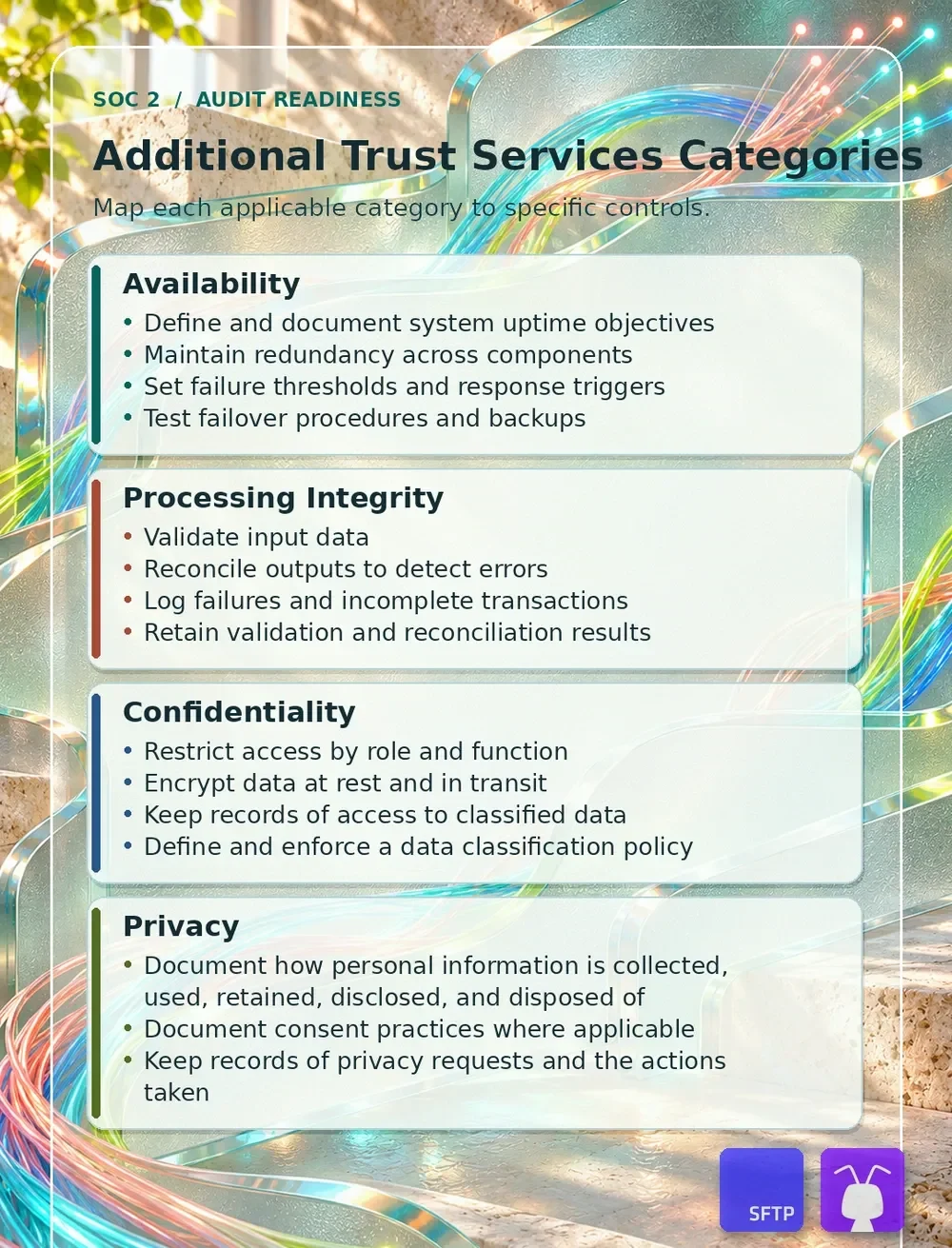
- Availability. Document uptime objectives, redundancy, and alert thresholds. Test failover and backup restoration, then keep the results and records of any fixes.
- Processing Integrity. Validate input data and reconcile outputs for accuracy and completeness. Keep the results, including records of failed or incomplete transactions and how you resolved them.
- Confidentiality. Classify confidential data, restrict access by role, and document how you retain and dispose of it. Keep records of encryption settings and access to classified data.
- Privacy. Document how you collect, use, retain, disclose, and dispose of personal information. Where applicable, document consent practices and keep records of privacy requests and the actions you took.
What Evidence Do Auditors Expect?
Auditors look for evidence tied to specific controls and the systems in scope. An approved policy shows what your team committed to doing. Dated reviews, approvals, and remediation records show how the control operated. For Type 2, retain records for the controls due to run during the examination period.
- Access. Keep the list of accounts and permissions reviewed, the reviewer’s decision, and a record of changes made afterward.
- Encryption. Save configuration exports or screenshots for transfer and storage. If you rotate keys under your policy, retain the rotation records and keep the private keys secure.
- Production changes. Link each sampled change to the approval, test results, and deployment record. Include rollback records where your procedure calls for them.
- Alerts and incidents. Keep the event, investigation, and response together. If you stream audit logs to a SIEM, keep the records that show how your team reviewed and acted on those events.
Keep evidence of policy approval and distribution, staff training, and user provisioning and deprovisioning where those controls are in scope. For each record, retain enough context for your CPA to identify the system, date, person responsible, and outcome.
What a Quarterly SFTP Access Review Looks Like
For a quarterly SFTP access review, keep a dated export of partner accounts and folder permissions, the approved access list, and the reviewer’s sign-off. If the review identifies an account that should have expired, link the removal ticket and a follow-up export confirming that access was revoked.
Keep those records together so someone reviewing the quarter can follow the decision from the original export to the fix. If you’re selecting a cloud SFTP service, check that you can export the account and activity records your control requires.
Review the provider’s SOC 2 report for the services and dates it covers, any exceptions, and any complementary user entity controls. Those controls describe responsibilities the provider expects its customers to carry out. Your team’s partner approvals and access reviews are examples of records you may still need to keep. See the SFTP To Go SOC 2 documentation for how those responsibilities are divided for our service.
What to Include in a SOC 2 Evidence Tracker
Use one row per control. Record the criterion, system, responsible person, frequency, expected evidence, period covered, status, and link to the evidence. Give exceptions their own field so the reviewer can find the corrective action without searching through old tickets. Keep evidence in a repository with access restricted to the people who need it.
SOC 2 Type 2 Evidence Tracker Example
Here’s how a team could record the removal of a former partner’s access to stored files. Use the second row as a template for another control.
Scroll horizontally to see all columns.
| Control | Criterion | Owner | When It Runs | Evidence to Keep | Exceptions |
|---|---|---|---|---|---|
| Partner Access Removal | CC6.2 | File transfer administrator | When a partner no longer has authorized access to stored files. | The dated removal ticket and a follow-up permissions export confirming that access was revoked. | If removal was late, record when access should have ended, when it was revoked, and how the delay was addressed. |
| Your Control | [Criterion ID] | [Responsible person or role] | [Trigger or frequency] | [Dated record or link] | [Exception and corrective action] |
Maintaining SOC 2 Readiness Between Examinations
Maintain evidence between examinations at the intervals defined in your controls. Review the scope when systems, providers, or customer commitments change.
- Access Reviews. Review user roles and permissions at the intervals in your policy. Record changes and confirm that revoked access is gone.
- Alert Follow-Up. Route alerts to assigned personnel and maintain a record of incident resolution. Check that logs are available for the period your controls require.
- Control Reviews. Run periodic control reviews, assign corrective actions, and update policies as systems or responsibilities change.
When you add a scheduled transfer or an automated encryption step, review how your team will detect a failure and record what happened next. Our file automation guide shows where schedules, event triggers, and PGP processing can change the workflow you document.
SOC 2 Audit Preparation Summary
Use the same workflow for each in-scope process. Define the controls and map them to the Trust Services Criteria. Assign owners, gather evidence, review readiness, and organize the records your CPA will need.
How SFTP To Go Supports SOC 2 Audit Readiness
If customers or partners send you sensitive files, your SOC 2 checklist needs to cover what happens after those files arrive. Where are they stored? Who can open them? What records can you pull when it’s time to review access? Those questions apply whether files are kept for a few hours or retained as part of an ongoing workflow.
SFTP To Go brings secure file transfer and cloud storage into one managed service. Files move over encrypted connections and are encrypted at rest with AES-256. You can set folder permissions for each partner and use file access audit logs to review activity. For example, when a partner relationship ends, your team can revoke their access and keep a record of the change alongside the access review.
If SFTP To Go is part of the system you’re preparing for a SOC 2 examination, enterprise customers can request our SOC 2 Type II report under NDA. Use it alongside your own records to document which controls SFTP To Go operates and which ones your team is responsible for.
Frequently asked questions
Do You Need a Type 1 Report Before Type 2?
You can proceed directly to Type 2. A Type 1 report may help when a customer needs a report sooner and your team is still preparing for the Type 2 examination period. Confirm what the customer will accept and discuss timing with your CPA firm.
Is There an Official AICPA SOC 2 Checklist?
The AICPA publishes the Trust Services Criteria and SOC 2 Description Criteria. The criteria guide the examination. Your checklist records the controls and evidence specific to your service.
How Should You Document a Missed Control Review?
Record which review was missed, what it covered, why it was missed, and what you did about it. Keep the actual completion date and any follow-up records so your CPA can evaluate the exception.
Who Needs a SOC 2 Report?
Service organizations that handle customer data may need a SOC 2 report when customers or business partners request independent assurance about their controls. SaaS companies, cloud providers, and managed service providers often encounter this during vendor due diligence.
Which Trust Services Categories Should You Include?
Security is the starting point. Consider Availability, Processing Integrity, Confidentiality, and Privacy based on the service you’re reporting on, the commitments you’ve made to customers, and the risks your controls address. Confirm the scope with your CPA firm.
How Long Should a SOC 2 Type 2 Examination Period Be?
Agree on the period with your CPA firm and confirm what customers will accept. Take the frequency of your controls into account. If a control runs quarterly, check which reviews fall inside the proposed period and whether you can produce evidence for them.
Can You Use a Cloud Provider’s SOC 2 Report as Evidence?
Yes, it can support your assessment of controls the provider performs. Check that the report covers the service you use and review the period, any exceptions, and the controls the provider expects customers to perform. Keep your own evidence for responsibilities you retain, including access approvals and permission reviews.
What Should You Update Before Your Next SOC 2 Examination?
Review changes to the service, infrastructure, providers, and customer commitments. Update the system description and control inventory where needed, then check for evidence gaps and unresolved exceptions before the next examination.