
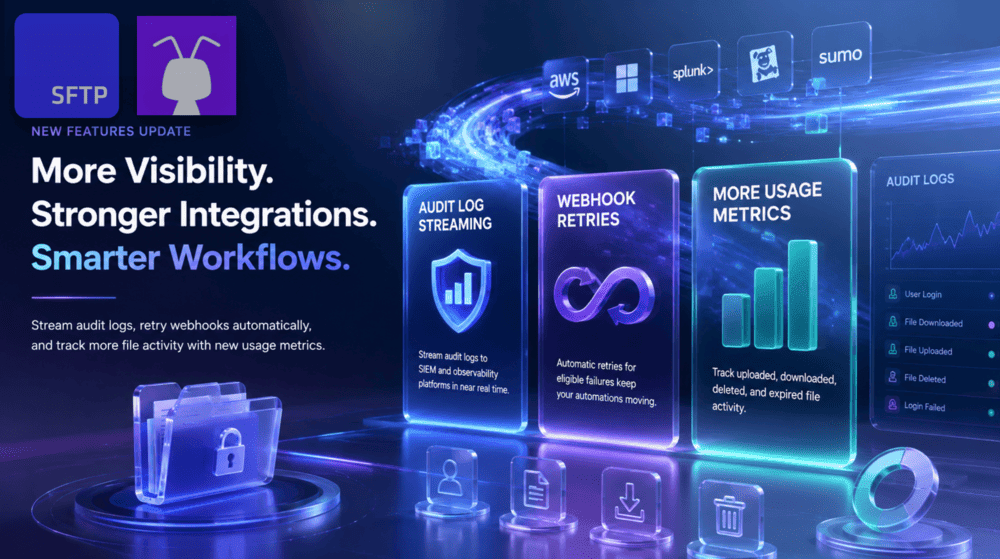
Fresh updates are here! Stream audit logs to SIEM and observability platforms, improve webhook delivery with automatic retries, and track more file activity in SFTP To Go usage reports.
More visibility, stronger integrations & more reliable automation
We’ve been busy…
This July, three new updates are expanding what you can do with SFTP To Go:
- Stream audit logs to SIEM and observability platforms in near real time.
- Keep webhook automations moving through temporary delivery failures with automatic retries.
- Track uploaded, downloaded, deleted, and expired file activity with new usage metrics.
Whether you’re centralizing security events, running event-driven file workflows, or keeping a closer eye on storage activity, these additions give you more visibility into what’s happening and more resilience when SFTP To Go connects with other systems.
Stream audit logs to your SIEM or observability platform
SFTP To Go audit logs already give you a detailed record of activity across your storage, including logins, uploads, downloads, deletions, access failures, users, timestamps, and other event data.
Now, users on eligible plans can stream audit log events in near real time to external SIEM and observability platforms.
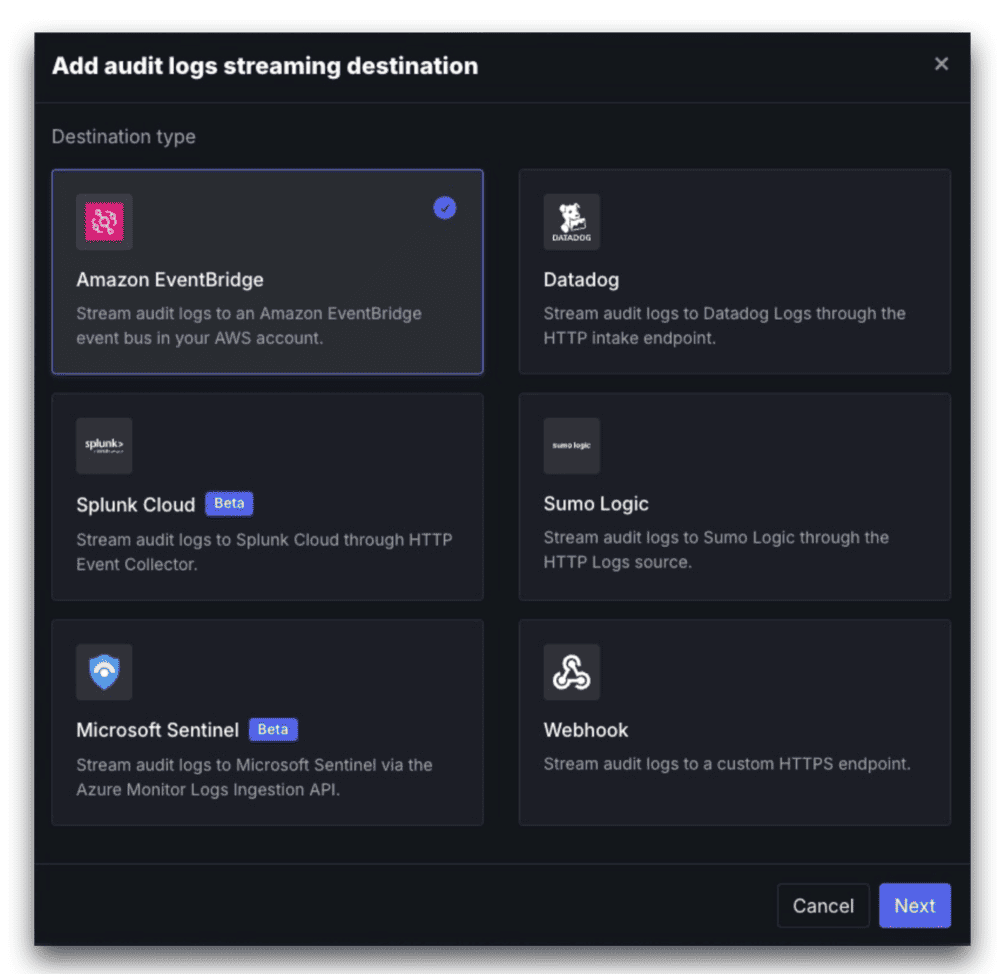
Supported destinations include:
- Amazon EventBridge
- Datadog
- Microsoft Sentinel
- Splunk Cloud
- Sumo Logic
- Webhook endpoints
This gives security and IT teams a direct way to bring SFTP To Go activity into centralized monitoring and analysis environments, where file transfer events can be correlated with wider security telemetry, used in alerts, or retained alongside other operational records.
For example, teams can react sooner to failed logins, access from unexpected locations, mass downloads, or other activity they want to investigate, rather than waiting for a scheduled audit log export.
The update builds on our existing audit visibility and Audit Logs Export feature. If you’re working with sensitive or regulated file transfers, our recent guide to secure file transfer automation for regulated workflows explores how transfer controls, activity records, automation, and external systems can work together.
Getting started with audit log streaming
Go to your organization’s Settings tab, find Stream audit logs, click Add destination, and choose where you want your audit events sent.
Each destination has its own connection requirements, so head to our audit logs documentation for the full setup instructions.
Webhook deliveries now retry automatically
SFTP To Go webhooks can notify another system when files or directories are created or deleted, or when files are downloaded. They’re a key part of event-driven automation, including the workflows covered in our 2026 guide to real-time EDI processing over SFTP using webhooks.
But external endpoints aren’t always available at the exact moment an event occurs.
Webhook deliveries now automatically retry eligible temporary failures. If an endpoint returns a server error, rate-limit response, request timeout, or encounters a network or connection problem, SFTP To Go retries the delivery with exponential backoff and a small random jitter.
While a delivery is waiting for another attempt, you can see its Retrying status, attempt count, and next attempt time in the deliveries log. If retries are exhausted, the delivery is marked Failed, and you can resend it manually.
Permanent client errors that are unlikely to succeed on another attempt aren’t repeatedly retried.
The result is more resilient SFTP automation when webhooks connect file events to applications, integration services, serverless functions, or other business processes.
What do you need to do?
Nothing to switch retries on. The new retry behaviour applies automatically to eligible webhook delivery failures.
If your endpoint processes SFTP To Go events, make sure it can safely handle the same event more than once. See our webhook documentation for full retry behaviour and implementation guidance.
More file activity metrics in your usage reports
We’ve also expanded SFTP To Go usage reporting with additional file activity metrics.
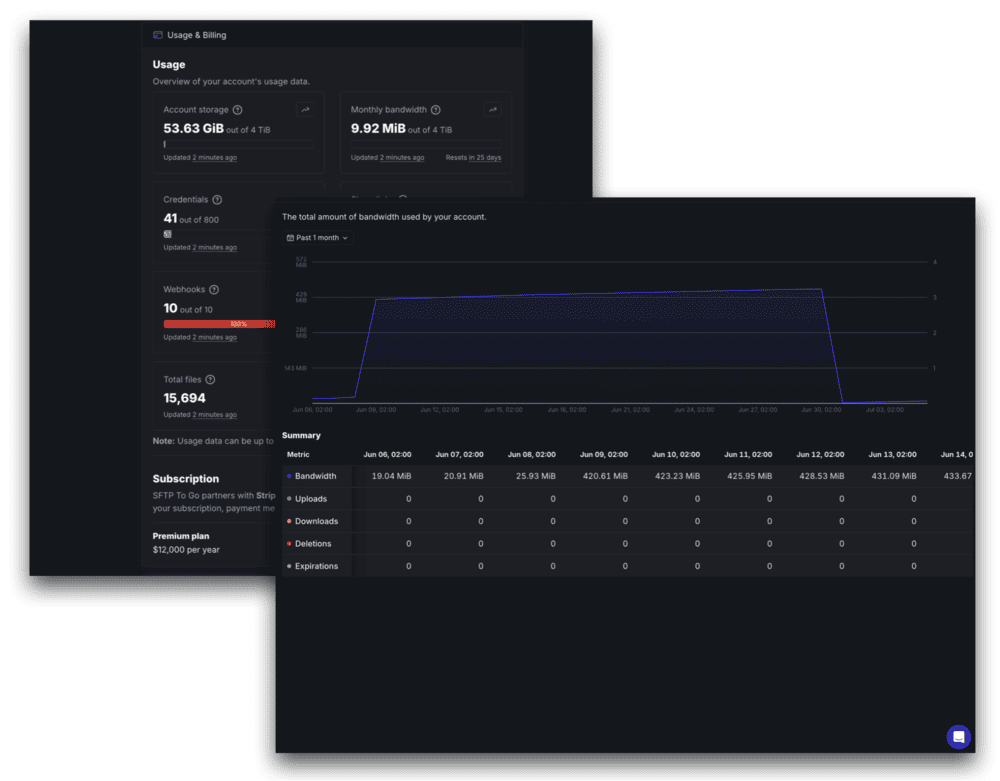
You can now track:
- Files uploaded
- Files downloaded
- Files deleted
- Files expired
Expired files are files removed automatically rather than deleted by one of your users..
These additions provide a clearer view of file activity over time and complement the historical usage reporting we introduced in 2025. Alongside storage, bandwidth, credentials, and other existing usage data, the new metrics make it easier to understand how files are moving through your SFTP To Go environment.
To review your usage data, open your organization settings and head to Usage & Billing, and expand the Bandwidth section. See our organization settings documentation for more information.
Ready to get started?
All three updates are ready to explore for users on eligible plans.
Head to your SFTP To Go dashboard to review usage metrics, configure an audit log streaming destination, or inspect webhook deliveries. For detailed configuration and technical requirements, use our documentation:
- Audit logs and streaming destinations
- Webhook notifications and retries
- Usage and organization settings
Our recent features
We’ve been rolling out plenty of new SFTP To Go features and updates over the past year. Catch up on the latest releases, from newest to oldest:
- Enforce MFA for Web Portal credentials
- Historical Usage Data
- Audit Logs Export for Compliance & Insight
- Email-Associated Credentials, Magic Code Login & MFA
- Secure Share Links for Easy File Sharing
- Custom Domains Support
- Enhanced File Browser & Credentials List Filtering
- Permission Options & Audit Logs
We value your feedback
Have thoughts on these updates or ideas for what should come next?
Drop us a message through the in-app chat with your feedback, questions, or feature requests. Your input continues to shape what we build next.