
WeTransfer works well when you need to send a file quickly.
That’s why people use it. You upload a file, create a link, send it, and move on. For casual file sharing, creative handoffs, one-off documents, and short-term downloads, that kind of transfer can be enough.
Business file transfer, however, usually needs more.
Teams need secure file access that doesn’t disappear too soon, folder and user-specific permissions, audit logs, controlled partner access, encrypted storage, automation hooks, organizational admin controls, and a way to connect file movement to wider operations in a secure, provable way, with full oversight but minimal effort.
That’s where a quick-send tool and a managed file transfer (MFT) platform start to separate.
This comparison looks at SFTP To Go vs. WeTransfer for businesses that need secure file exchange, not just link-based delivery.
For a broader explanation of managed transfer, see what MFT is and how managed file transfer works.
SFTP To Go vs. WeTransfer: the short answer
SFTP To Go and WeTransfer solve different file transfer problems.
WeTransfer is built for sending files through links. It’s quick, familiar, and low-friction for one-off sharing.
SFTP To Go is a managed file transfer platform for secure business file exchange. It supports SFTP, FTPS, HTTPS web portal access, and Amazon S3 storage, with controls for users, folders, permissions, audit logs, native file automations, APIs, webhooks, and compliance-aligned workflows.
SFTP To Go also supports link-based delivery through Share links, so teams can send files by link when that’s the right workflow, while still keeping managed transfer controls available for more structured file exchange.
The choice comes down to whether you’re sending a file or managing a file workflow.
- Choose WeTransfer when you need quick, occasional file sharing and a transfer link is enough, without standing user access, folder permissions, audit logs, SFTP or FTPS access, automation, long-term storage, or system integration.
- Choose SFTP To Go when file exchange is part of daily operations, partner access, regulated workflows, recurring uploads, customer deliveries, vendor folders, access via customizable sharelinks when necessary, or automated business processes that need managed file transfer controls.
For readers comparing platforms beyond WeTransfer, see managed file transfer platforms for 2026 and cloud MFT for regulated industries.
Understanding the basics
SFTP To Go overview
SFTP To Go is a managed file transfer service for businesses that need secure file exchange, cloud storage, controlled access, and automation without maintaining transfer servers.
The platform supports:
- SFTP
- FTPS
- HTTPS web portal access
- Built-in Amazon S3 cloud storage
- S3 API access on eligible plans
- User and folder based permissions
- SSH key authentication
- MFA for web portal access
- Inbound network rules on eligible plans
- Audit logs with detailed information on file and access events as well as administrative actions, with log streaming to SIEM and monitoring platforms supported on certain plans
- REST API access
- Native file automations for event- or schedule-based file processing, including moving, copying, deleting, and PGP encryption or decryption
- Webhooks and notifications
- Share links (these give teams a WeTransfer-like way to send files by link, with options such as password protection, expiry, download limits, revocation, and activity visibility)
- Custom domains and branding options on eligible plans
SFTP To Go is designed for businesses that need to receive, store, share, route, and track files across users, partners, departments, systems, and applications.
That makes it relevant for workflows involving finance files, healthcare files, EDI files, vendor uploads, customer exports, reports, data feeds, and operational documents.
For more on secure file exchange patterns, see secure file transfer automation for regulated workflows.
WeTransfer overview
WeTransfer is a file-sharing service built around link-based delivery.
A sender uploads files, creates a transfer, and sends the download link to recipients. Depending on the plan, WeTransfer can support larger transfers, custom expiration, password protection, branded pages, access controls, portals, and review workflows.
That makes WeTransfer useful for people who need to send files without building a file transfer environment.
The difference is that WeTransfer is still centered on transfers. SFTP To Go is centered on managed file exchange, storage, access, automation, and operational control.
That distinction matters when file movement is part of daily business operations rather than a one-off send.
SFTP To Go and WeTransfer feature comparison
Pricing and plans
SFTP To Go
SFTP To Go pricing is based on business file transfer needs such as credentials, storage, bandwidth, support, security controls, and enterprise requirements.
That works well for teams that expect file exchange to grow over time. You can start with a smaller plan and move up as you need more credentials, storage, bandwidth, data residency options, or enterprise controls.
SFTP To Go also offers a custom plan for organizations with specific scale, security, or infrastructure requirements.
WeTransfer
WeTransfer pricing is built around transfer usage and creative collaboration needs.
Its plans suit individuals, freelancers, creative teams, and businesses that need to send files through links. The higher plans add more transfer capacity, longer availability, branding, portals, password protection, and access controls.
For businesses that mainly need link-based file delivery, that can be enough.
For businesses that need partner folders, protocol access, audit logs, API-based provisioning, webhook-triggered processes, inbound IP rules, or structured file exchange, WeTransfer’s model may be too limited.
Transfer limits and file availability
SFTP To Go
SFTP To Go doesn't revolve around a single per-transfer send limit in the same way link-sharing services do. Usage is governed by the storage, bandwidth, credentials, and plan resources available to your organization.
That makes it better suited to recurring file exchange, partner folders, scheduled transfers, machine-to-machine workflows, and long-running business processes.
SFTP and FTPS also support resumable transfers in compatible clients, which can help when a connection drops during a large transfer.
WeTransfer
WeTransfer is transfer-focused.
Its current plan limits include free transfers with limits over a rolling 30-day period, a Starter plan with a higher rolling transfer allowance, and an Ultimate plan with unlimited transfers up to 1 TB per transfer.
That’s useful for large file sending, but it’s not the same as managed file transfer. Businesses still need to consider link expiration, user governance, access review, retention expectations, audit requirements, and how the files move into the next business system.
Security and privacy
SFTP To Go
SFTP To Go is built for secure business file transfer.
Security features include:
- Encrypted transfer over SFTP, FTPS, and HTTPS
- AES-256 encryption at rest on Amazon S3
- SSH key authentication for SFTP
- Strong password handling
- MFA for web portal access
- SAML SSO for admin users on eligible plans
- User home directories
- Directory-level permissions
- Inbound network rules on eligible plans
- Static host IPs for outbound allowlisting
- Audit logs
- SOC 2 Type II report available under NDA
- HIPAA BAA support on eligible plans
These controls are important when files include customer records, financial documents, healthcare data, EDI files, confidential reports, partner exports, or any other business-critical data.
For more detail, see SFTP To Go security, SOC 2 compliance, and HIPAA compliance.
WeTransfer
WeTransfer includes security features such as encryption, password protection on supported plans, expiration controls, and access controls on higher plans.
That can work for controlled file sending.
The gap appears when a business needs more than protected links. Teams may need per-user protocol access, folder-level separation, audit logs for uploads and downloads, machine access, partner directories, API-driven user management, retention planning, and centralized file activity records.
For that kind of workflow, managed file transfer gives more operational control.
User experience (UX)
SFTP To Go
SFTP To Go supports both technical and non-technical users.
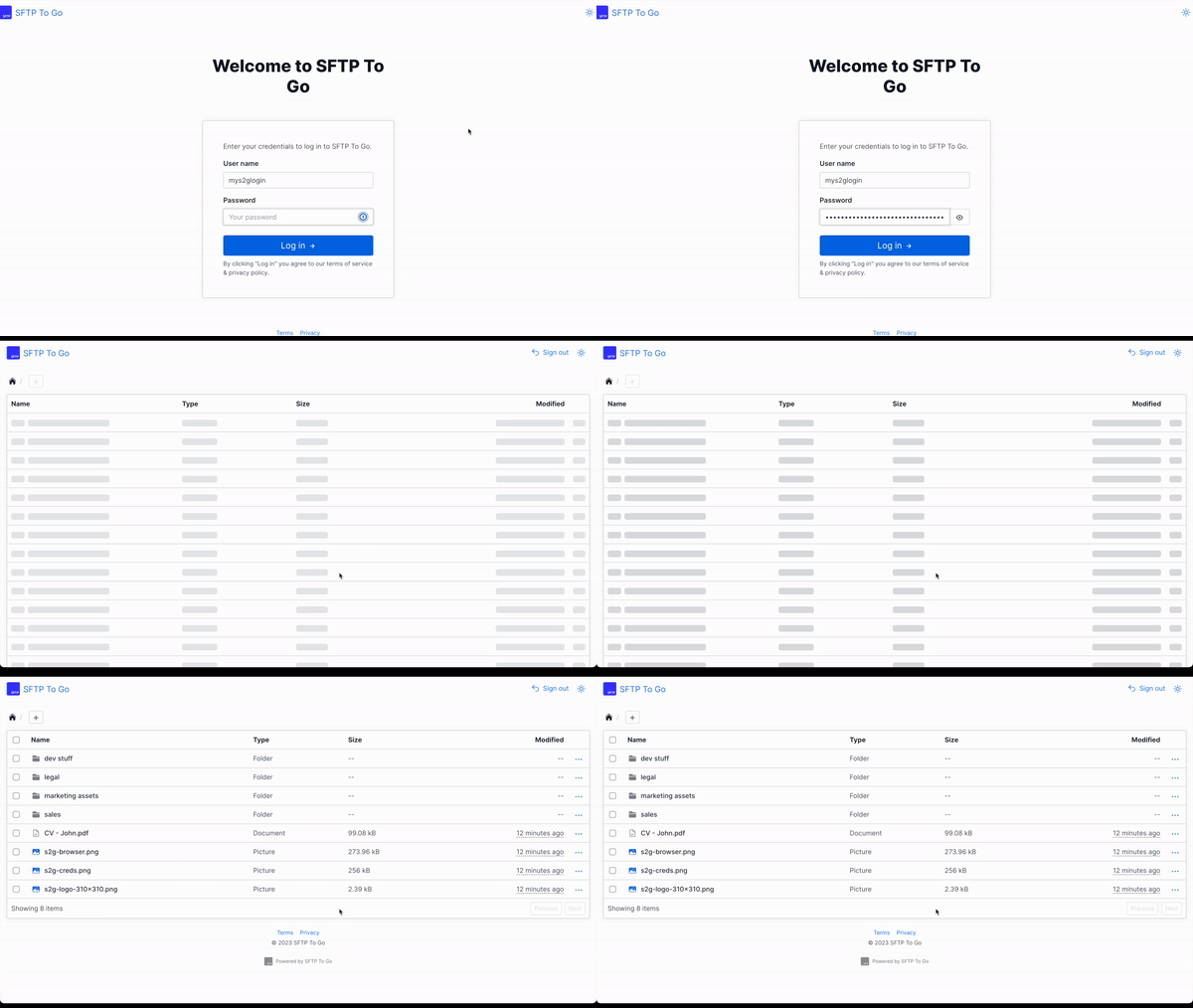
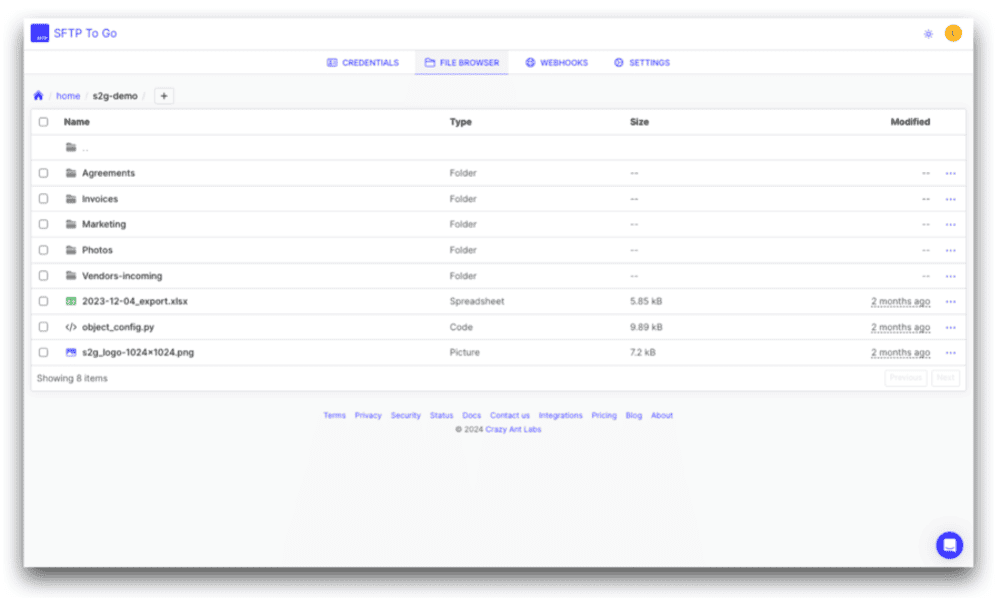
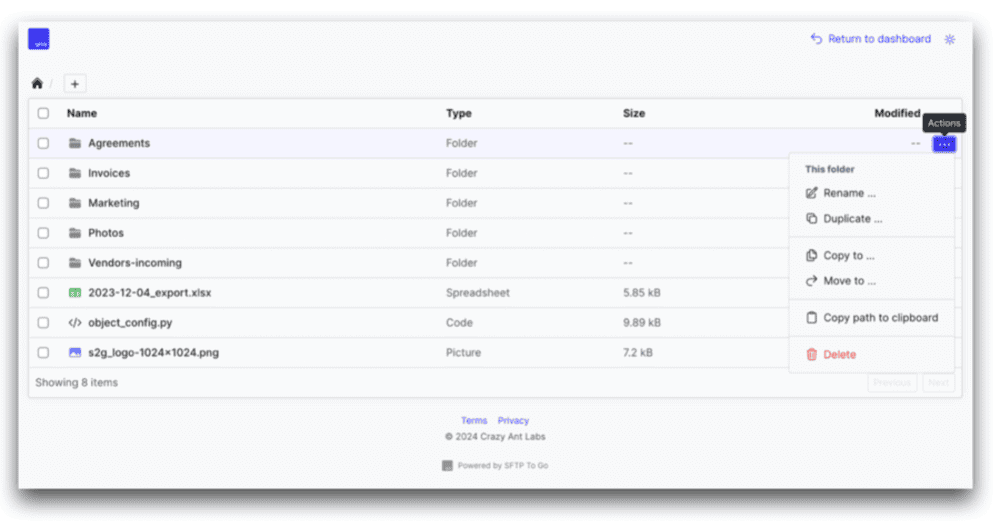
Technical users can work through SFTP clients, FTPS clients, scripts, APIs, S3-compatible tools, and automated workflows. Non-technical users can upload, download, delete, move, copy, and share files through the HTTPS web portal.
That balance matters in real business environments. Developers, finance teams, vendors, customers, analysts, and operations users often need access to the same file environment in different ways.
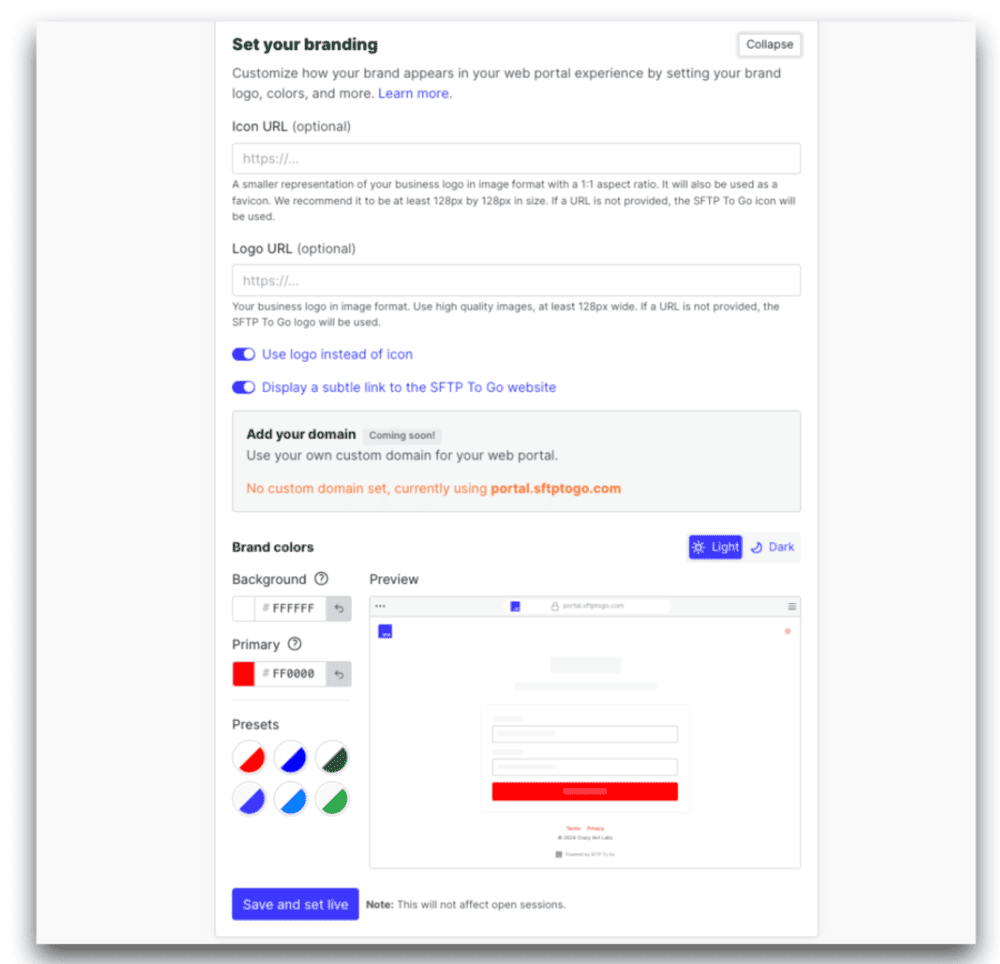
SFTP To Go also supports custom branding options, which helps businesses present a more consistent experience to external partners.
For more on browser-based access, see the SFTP To Go web portal announcement.
WeTransfer
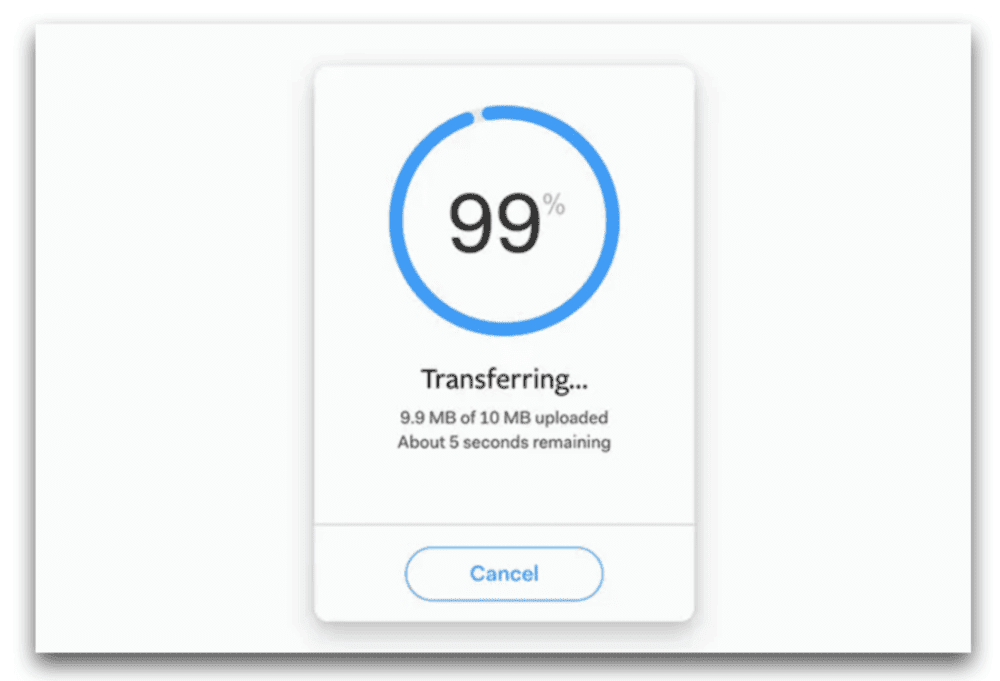
WeTransfer is known for fast, low-friction file sending.
That’s its strength. People don’t need to understand SFTP, FTPS, folder permissions, credentials, or file automation to send a transfer.
The tradeoff is control and compliance. If a business needs users to work inside a managed file environment, with permissions, folders, recurring workflows, logs, and system access, a link-based sending experience won’t cover the full process.

Integrations and automation
SFTP To Go
SFTP To Go supports automation through several routes:
- Native file automations for event- or schedule-triggered file-level workflows, including move, copy, delete, PGP encryption or decryption, file or folder creation, and delays.
- REST API for managing credentials, SSH keys, webhooks, share links, audit logs, and audit log exports.
- Webhooks for triggering external workflows after file uploads, directory creation, downloads, or deletions.
- SFTP and FTPS clients for scripted, scheduled, or system-to-system transfers.
- S3 API access on eligible plans for programmatic access to storage.
- Email, Slack, and Microsoft Teams notifications for human-facing alerts around file activity.
- iPaaS and integration platforms such as Power Automate, Workato, Boomi, and MuleSoft, when those tools connect through SFTP, FTPS, HTTPS/webhooks, API, or S3-compatible access.
This means routine file-level processing can stay inside SFTP To Go, while APIs, webhooks, and integration platforms can handle workflows that need to extend into applications, databases, ticketing systems, approval processes, or other business tools.
Examples include:
- A vendor uploads a file, and a native automation moves or copies it into the correct processing location.
- A PGP-encrypted file arrives, is decrypted, and then triggers a webhook to another system.
- A customer downloads a file, and the account team receives a notification.
- A finance file lands in a partner folder and is routed before external processing begins.
- A healthcare document arrives and moves into a controlled processing workflow.
For implementation ideas, see SFTP automation, API vs SFTP integration, and healthcare SFTP automation using MFT and iPaaS. For more on the latest capabilities, see the August 2026 SFTP To Go updates and the file automations documentation.
WeTransfer
WeTransfer is mainly a file-sending and sharing service. It offers useful collaboration and access features on paid plans, but it is not built as a managed file transfer automation environment.
That means businesses may run into limits when they need event-based workflows, API-driven user management, partner folder automation, detailed file activity records, or protocol-based integration with legacy systems and business applications.
SFTP To Go vs. WeTransfer for business use
Scalability
SFTP To Go
SFTP To Go is built for growing file transfer operations.
Businesses can add credentials, folders, permissions, storage, bandwidth, automation, and support as file transfer needs increase. That works well when more partners, departments, systems, and workflows need access over time.
This is especially relevant for regulated and partner-heavy industries, where file exchange rarely stays small once it becomes part of daily operations.
WeTransfer
WeTransfer scales transfer capacity across plans, but it remains centered on sending files through transfers.
That’s fine when the need is “send this file.” It becomes harder when the need is “manage this file workflow across people, systems, partners, and audits.”
Access control
SFTP To Go
SFTP To Go gives each credential access to assigned storage paths with defined permissions.
That means teams can separate access by partner, vendor, customer, department, file type, workflow, or application.
For example:
- A vendor can upload files but not delete them.
- A customer can download from one folder only.
- A finance partner can access a dedicated directory.
- An internal team can manage files through the web portal.
- A machine credential can write files to a processing folder.
This is a major difference between managed file transfer and link-based file sending.
For setup detail, see user home directories and inbound network rules.
WeTransfer
WeTransfer can protect and control transfers with features such as expiration, passwords, and access controls on supported plans.
Those controls are helpful for transfer links. They are not the same as standing user access, folder permissions, partner directories, protocol credentials, or long-term access governance.
Audit logs and visibility
SFTP To Go
SFTP To Go keeps audit logs for file and user activity, including uploads, downloads, deletes, login attempts, failed access, and related events.
Audit logs help teams answer questions such as:
- Who uploaded this file?
- Who downloaded it?
- When did access happen?
- Did a login fail?
- Which user deleted a file?
- Which credential touched this folder?
- Did a webhook fail?
- Are file activity records available for review?
SFTP To Go also supports audit log exports and streaming audit logs on eligible plans, which helps teams connect file activity to SIEM, monitoring, and compliance workflows.
For more, see SFTP To Go audit logs.
WeTransfer
WeTransfer offers transfer activity and access-related controls depending on plan, but it is not designed as an audit-centered MFT platform.
For businesses that need detailed file activity records across users, protocols, folders, and systems, SFTP To Go provides a stronger operational record.
Customization and branding
SFTP To Go
SFTP To Go supports custom domains and branding options on eligible plans.
That can help businesses present a more professional file exchange experience to customers, vendors, partners, and internal users. It also supports operational consistency when file transfer is part of a formal process rather than a one-off send.
WeTransfer
WeTransfer includes branding and portal features on higher plans, which can work well for creative teams, agencies, and client review workflows.
The difference is depth. WeTransfer’s branding applies to transfer and presentation experiences. SFTP To Go’s customization is part of a broader managed transfer environment with protocols, credentials, folders, permissions, and automation.
Support and reliability
SFTP To Go
SFTP To Go is designed for business file transfer where reliability, support, and continuity matter.
It uses AWS infrastructure, Amazon S3-backed storage, encrypted protocols, and managed service operations so teams do not have to build and maintain transfer servers themselves.
SFTP To Go also supports business workflows through chat support, documentation, API support, security controls, and plan options for larger organizations.
WeTransfer
WeTransfer is widely used and works well for its core purpose: sending files.
For businesses that only need quick transfers, that may be enough. For businesses that need protocol support, auditability, custom access patterns, or operational support around recurring file movement, managed file transfer is the stronger model.
WeTransfer limitations for business file transfer
WeTransfer’s strengths are also its limits.
It is designed to reduce friction around sending files. That makes it attractive for individual users, creative teams, agencies, freelancers, and occasional business transfers.
But businesses may run into issues when file transfer becomes operational.
Common limitations include:
- Transfer-centered design: WeTransfer is built around sending files, not managing file exchange environments.
- Limited protocol support: It does not replace SFTP, FTPS, S3 API access, or system-to-system file exchange.
- Limited folder governance: Link sharing does not provide the same structure as partner folders, chrooted users, or directory-level permissions.
- Limited audit depth: Businesses that need detailed logs across user activity, protocols, and file operations may need MFT controls.
- Limited automation: WeTransfer is not designed for webhook-driven, API-driven, or protocol-based file workflows.
- Limited operational control: Regulated or partner-heavy teams may need more control over retention, access review, and activity records.
WeTransfer is all about link-based sharing. SFTP To Go also supports link-based delivery through Share links, but it adds standing user access, folder permissions, protocol support, storage control, audit logs, APIs, native file-level automations, and webhooks around the same file environment.
WeTransfer can still be the right tool for quick sharing. It just shouldn’t be treated as a managed file transfer platform.
SFTP To Go considerations
SFTP To Go is a stronger business file transfer option, but it is not the right choice for every casual sender.
If a user only needs to send a file once, WeTransfer may feel lighter.
SFTP To Go makes more sense when the file process needs any of the following:
- Recurring uploads or downloads
- Partner access
- Vendor folders
- Protocol-based transfer
- SFTP or FTPS support
- Machine-to-machine exchange
- Audit logs
- Permission controls
- API management
- Automated file-level processing
- Webhooks
- Compliance-aligned configuration
- Longer-term storage and file organization
- Business support around file exchange
There may also be initial setup work, especially if your team needs custom domains, API workflows, network rules, separate partner directories, or integration with iPaaS tools.
That setup is part of the value. The goal is not just to send a file. It is to build a secure file transfer environment that your team can trust.
When SFTP To Go is the better WeTransfer alternative
SFTP To Go is the better WeTransfer alternative when file transfer is part of a business process.
That includes:
- Finance teams exchanging payment, reconciliation, or reporting files
- Healthcare teams exchanging PHI or operational documents
- Software teams receiving customer exports or vendor data
- Logistics teams exchanging shipment and inventory files
- Retail teams managing supplier documents
- SaaS teams supporting customer file workflows
- Organizations that need MFT controls without self-hosting
- Teams that need SFTP, FTPS, HTTPS, and S3-backed storage in one service
For finance-specific workflows, see financial EDI with managed SFTP and MFT for banks and financial institutions.
For healthcare-specific workflows, see healthcare EDI with managed SFTP and MFT platforms for healthcare and HIPAA.
For teams comparing secure transfer tools, see SFTP To Go vs. Couchdrop and SFTP To Go vs. Files.com.
In conclusion
WeTransfer is a strong file-sharing service for quick sends, client handoffs, and short-term transfer links.
SFTP To Go is a stronger WeTransfer alternative for businesses that need controlled file exchange, protocol access, partner folders, audit logs, automation, compliance support, and secure storage.
The difference is not just file size. It is the difference between sending files and managing file transfer.
When files are occasional, WeTransfer may be enough. When files are part of operations, SFTP To Go gives teams the controls they need to receive, store, share, track, and automate file movement with less infrastructure burden.
For businesses that need secure file transfer without maintaining servers, SFTP To Go provides managed SFTP, FTPS, HTTPS web portal access, Amazon S3-backed storage, native file automations, APIs, webhooks, audit logs, and user-level access controls in one managed environment.
Frequently asked questions
What is the best WeTransfer alternative for business file transfer?
The best WeTransfer alternative depends on what the business needs. For quick link-based file sharing, several tools can work. For secure business file transfer with SFTP, FTPS, audit logs, user permissions, cloud storage, APIs, webhooks, and compliance-aligned workflows, SFTP To Go is a stronger option.
How is SFTP To Go different from WeTransfer?
WeTransfer is mainly a file-sharing service for sending transfer links. SFTP To Go is a managed file transfer platform that supports SFTP, FTPS, HTTPS web portal access, Amazon S3-backed storage, user permissions, audit logs, APIs, webhooks, and partner file workflows.
Is SFTP To Go more secure than WeTransfer?
SFTP To Go provides business-focused security controls such as encrypted transfer, encrypted storage, SSH key authentication, MFA for web portal access, folder permissions, home directory restrictions, inbound network rules on eligible plans, audit logs, and compliance support. WeTransfer also offers security features, but it is centered on protected transfer links rather than managed file transfer operations.
Does SFTP To Go support large file transfers?
Yes. SFTP To Go supports large file transfer workflows through SFTP, FTPS, HTTPS, and Amazon S3-backed storage. Usage is managed through plan resources such as storage and bandwidth rather than a single link-based transfer model.
Can SFTP To Go replace WeTransfer for teams?
SFTP To Go can replace WeTransfer when a team needs recurring file exchange, partner folders, user permissions, audit logs, automation, SFTP or FTPS access, and secure storage. If the team only needs occasional transfer links, WeTransfer may still be enough.
Does SFTP To Go offer audit logs?
Yes. SFTP To Go provides audit logs for file and access activity, including uploads, downloads, deletions, login attempts, failed access, and related events. Audit logs can help teams review file activity and support security or compliance processes.
Can SFTP To Go integrate with other systems?
Yes. SFTP To Go supports integrations through SFTP, FTPS, HTTPS, REST API access, webhooks, notifications, and S3 API access on eligible plans. It can also work with iPaaS and automation tools such as Power Automate, Workato, Boomi, MuleSoft, and similar platforms.
Is WeTransfer suitable for regulated file workflows?
WeTransfer can support protected file sending, but regulated workflows often need more than transfer links. Teams may need user-level access, folder permissions, audit logs, retention planning, network restrictions, secure protocols, and documented operational controls. SFTP To Go is designed for those managed file transfer requirements.
When should a business use managed file transfer instead of WeTransfer?
A business should consider managed file transfer when file exchange is recurring, sensitive, regulated, partner-driven, system-driven, or operationally important. MFT is better suited to workflows that need access control, audit records, automation, protocol support, and secure storage.