
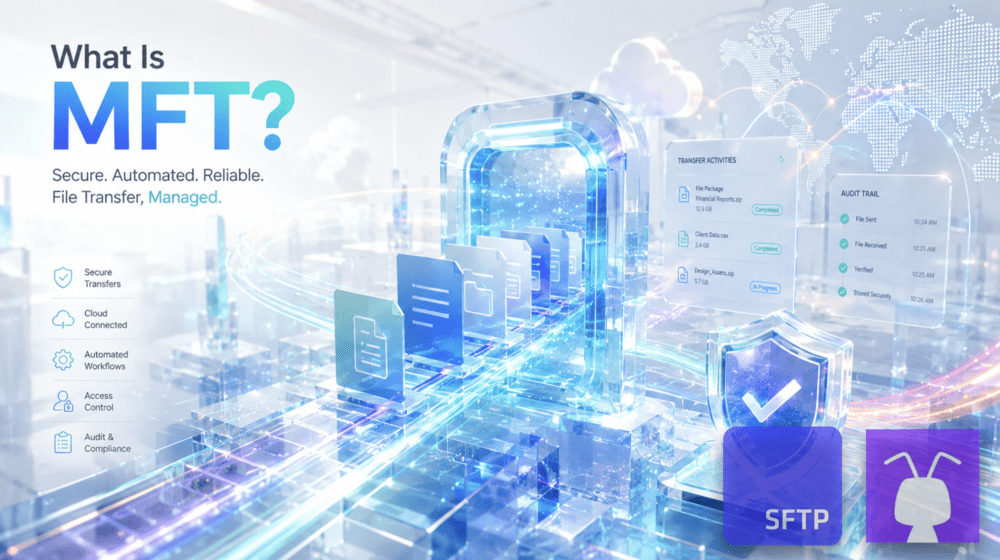
Managed file transfer, or MFT, is a controlled environment for securely sending, receiving, storing, tracking, and automating business file exchanges. Unlike basic FTP or one-off file sharing, MFT brings:
- the transfer methods w/ secure protocols like SFTP, FTPS
- HTTPS web portal access
- access rules and user controls
- secure cloud storage (such as S3)
- audit records
- automation hooks
- administrative oversight
… all into one managed file exchange process, with no infrastructure setup and maintenance required. It offers a scalable, automated approach to file transfers, reducing manual workloads while improving security across networks and systems.
Whether your needs involve large, compliance-driven datasets or everyday automated workflows, MFT is designed to streamline operations without sacrificing security or control.
This article explains what Managed File Transfer is, why it matters, how it works, and what to consider when choosing the right MFT solution for your business.
What is Managed File Transfer (MFT)?
Managed File Transfer (MFT) gives organizations a controlled way to move files between users, systems, departments, vendors, and partners. An MFT solution may be delivered as software, a managed cloud service, or a hosted file transfer environment, but its purpose is the same: secure file exchange with access management, encryption, automation, monitoring, audit records, and administrative control.
MFT evolved from traditional file transfer methods like FTP to meet stronger security, efficiency, and regulatory compliance needs. It supports internal and external file transfers while adding the controls businesses need around sensitive, large-scale, or recurring data movement.
What is the purpose of MFT?
The purpose of MFT is to make business file exchange secure, repeatable, visible, and easier to govern. Organizations use managed file transfer when files need to move between people, systems, vendors, and partners without relying on manual uploads, shared credentials, unsecured folders, or disconnected transfer records.
MFT helps organizations:
- Protect sensitive data with secure file transfer protocols, encryption, authentication, and access controls.
- Reduce manual file handling through scheduled transfers, REST APIs, webhooks, notifications, retries, and downstream workflow automation.
- Support compliance with audit records, access history, transfer logs, user activity records, and controls aligned with frameworks such as HIPAA, GDPR, GLBA, FERPA, SOC 2, and PCI DSS.
- Control file access by separating users, partners, folders, credentials, permissions, and workflows.
- Scale file exchange across growing data volumes, cloud storage, partner connections, and recurring business processes.
How is MFT different from FTP or SFTP?
FTP, FTPS, and SFTP are file transfer protocols. MFT is the managed file transfer environment around those protocols.
An MFT solution may use SFTP, FTPS, HTTPS, APIs, cloud storage, or other access methods, but it also adds business controls around the transfer: authentication, user permissions, folder separation, automation, audit records, monitoring, alerts, and error handling.
SFTP moves files securely. MFT manages the wider file exchange process.
What are the key components of MFT?
The key components of MFT are the controls that make file exchange secure, managed, automated, and auditable.
They usually include:
- Secure transfer methods: SFTP, FTPS, HTTPS, APIs, or cloud storage access.
- Encryption: Protection for files in transit and, where supported, at rest.
- Access management: Authentication, user permissions, folder restrictions, partner access, and administrative controls.
- Automation: Scheduled transfers, native file automations, file-event triggers, REST APIs, webhooks, notifications, and retries.
- System integration: Connections to EDI platforms, ERPs, CRMs, billing systems, healthcare systems, finance platforms, and other business applications. Log streaming to SIEM and observability platforms.
- Audit records: Logs of admin events, logins, uploads, downloads, deletes, errors, file paths, users, timestamps, protocols, and transfer status.
- Storage management: Secure storage, file organization, retention, versioning, recovery, or lifecycle controls, depending on the solution.
- Data residency: Store files in a known region to support privacy, compliance, and internal data handling requirements.

How does Managed File Transfer work?
Workflow in MFT
A managed file transfer workflow usually starts when a user, partner, application, or scheduled job initiates a transfer. The MFT platform authenticates the connection, applies the relevant access rules, transfers the file through an approved protocol, stores or routes the file, records the activity, and triggers any required follow-up action.
A typical MFT workflow includes:
- A user, partner, system, or scheduled job starts the transfer.
- The MFT platform authenticates the credential, user, application, or endpoint.
- The file moves through SFTP, FTPS, HTTPS, API access, or another approved method.
- Permissions and folder rules determine where the file can be placed or retrieved.
- The transfer is logged with details such as user, time, file path, protocol, action, and status.
- Automation can perform file-level actions inside the MFT, notify a team, trigger a webhook, or start processing in another system when broader integration is required.
Secure protocols used in MFT
MFT platforms use secure protocols and access methods to protect business file exchange. Common options include SFTP over SSH, FTPS over TLS, HTTPS web access, APIs, and cloud storage access, depending on the platform and workflow.
The protocol moves the file. The MFT platform adds the controls around it: authentication, permissions, logging, automation, monitoring, and reporting.
HTTPS web portal access for business users
Many file workflows involve business users, vendors, or customers who should not need an SFTP client or command-line access. Web portal access gives those users a browser-based way to upload, download, and manage files while administrators keep authentication, permissions, and audit records in place.
Integration and error handling
MFT platforms can connect file activity to other systems through APIs, webhooks, notifications, scheduled jobs, and integration platforms. This helps teams trigger downstream processes when files arrive, move, fail, or need review.
Error handling is part of the workflow. Failed transfers, missed files, duplicate events, permission issues, and delayed processing should be visible enough for teams to investigate and correct quickly.
What are the benefits of MFT for modern businesses?
Managed File Transfer helps businesses reduce file exchange risk, manual work, and operational blind spots. Its value comes from applying security, automation, access control, and auditability to the file processes that support daily operations.
Stronger control over sensitive file exchange
MFT helps protect sensitive data by controlling how files are sent, received, stored, and accessed. Instead of leaving teams to manage file movement through unsecured folders, shared credentials, or disconnected transfer tools, MFT provides a managed process with encryption, authentication, permissions, and transfer records.
Less manual file transfer work
Manual file handling creates room for missed uploads, wrong folders, duplicate files, unclear ownership, and delayed follow-up. MFT reduces that work with scheduled transfers, file-event automation, alerts, retries, and integrations that connect file activity to the next system or team.
Better audit readiness for regulated teams
Regulated teams need more than secure transfer. They also need records of who accessed a file, when it moved, where it was stored, and what happened afterward. MFT supports compliance workflows by keeping audit logs, access records, and transfer histories that can support reviews under frameworks such as HIPAA, GDPR, GLBA, FERPA, SOC 2, and PCI DSS.
More reliable partner and system workflows
Businesses often exchange files with vendors, customers, banks, healthcare partners, EDI systems, finance platforms, and internal applications. MFT gives those recurring exchanges a controlled structure with assigned folders, permissions, credentials, schedules, notifications, and error visibility.
Scalability for growing file volumes
As file volume grows, manual transfer processes become harder to manage. MFT supports larger datasets, more users, more partners, recurring workflows, cloud storage, and high-frequency file exchange without requiring every transfer to be handled separately.
Easier file access for business users
Not every file exchange should depend on technical users or SFTP clients. MFT platforms with web portal access can give approved users a controlled browser-based way to upload, download, and share files while administrators manage permissions, authentication, and records in the background.

Common MFT use cases
MFT is most useful when file exchange needs to be secure, repeatable, and visible to administrators.
Common managed file transfer use cases include:
- Vendor and partner file exchange.
- EDI file transfer.
- Healthcare PHI and ePHI exchange.
- Financial reports, statements, and reconciliation files.
- Customer uploads and downloads.
- SaaS data imports and exports.
- Automated file workflows between internal systems.
- Secure file sharing for business users.
- Audit-ready file transfer for regulated teams.
How to choose the right MFT solution?
Choosing the right MFT solution means looking beyond the transfer protocol. The question is not only whether the platform can move files securely, but whether it can manage the full file exchange process your organization depends on.
Assess:
- Security controls: secure protocols, encryption, authentication, IP restrictions, SSH key handling, password policies, and permission settings.
- Access separation: user folders, partner areas, department access, application credentials, and least-privilege permissions.
- Automation: scheduled transfers, scheduled and event-triggered native file automations, REST APIs, webhooks, file-event triggers, notifications, retries, and downstream workflow support.
- Storage model: built-in storage, connected cloud storage, BYO storage, retention, versioning, lifecycle rules, and recovery options.
- Compliance support: audit logs, reporting, access records, encryption, data residency options, and BAAs where required.
- Reliability: availability architecture, monitoring, support, disaster recovery options, near-real-time log streaming to SIEM, and operational visibility.
- Administration: setup time, server maintenance, user management, documentation, support quality, and day-to-day management effort.
- Integration requirements: compatibility with EDI, ERP, CRM, billing, analytics, healthcare, finance, supply chain, or other business systems.
- Data residency controls: Check whether the MFT provider lets you choose or confirm where files are stored and processed.
SFTP To Go: comprehensive MFT managed file transfer
Secure transfer, storage, and access
- Secure file access protocols: SFTP To Go supports secure file exchange through SFTP, FTPS, HTTPS web portal access, and Amazon S3-backed storage, giving teams multiple controlled ways to send, receive, store, and retrieve business files.
- Encryption in transit and at rest: Files are protected during transfer and in storage, helping teams manage sensitive data across internal workflows, partner exchanges, customer uploads, and automated file processes.
- Folder-based user separation: Credentials can be bound to specific home directories and folder permissions, helping teams separate vendors, customers, departments, partners, applications, and internal users so each party reaches only the file areas assigned to them.
- Web portal access: Approved users can upload, download, and manage files through a browser-based portal, while administrators keep authentication, permissions, access rules, and audit records in place.
Availability, storage resilience, and scale
- Amazon S3-backed storage: SFTP To Go includes Amazon S3-backed storage for durable cloud file storage, helping teams keep transferred files available for processing, review, retrieval, and downstream workflows.
- High availability: SFTP To Go runs on managed cloud infrastructure designed for reliable access, helping teams avoid the operational burden of maintaining their own transfer servers.
- File versioning: Versioning is available on eligible plans, helping protect against accidental overwrite or deletion and giving teams a history of file changes where required.
- Scalable file exchange: SFTP To Go supports growing storage needs, transfer activity, credentials, partners, users, and automated workflows without requiring teams to rebuild the file transfer environment as usage increases.
Compliance and audit support
- GDPR-aligned file workflows: SFTP To Go supports GDPR-focused file transfer workflows with encryption, access controls, audit records, secure storage, and administrative controls for handling personal data.
- HIPAA support: SFTP To Go supports HIPAA-regulated customers on eligible plans, including the option to sign a Business Associate Agreement (BAA).
- FERPA support: SFTP To Go supports education file transfer workflows involving student records, transcripts, enrollment files, financial aid documents, and administrative data with secure transfer, folder-based separation, access controls, and audit records.
- SOC 2 Type II: SFTP To Go is SOC 2 Type II audited and supports security-focused file transfer workflows with encryption, access controls, audit logs, and operational safeguards.
- Audit visibility and monitoring: Detailed audit logs cover file, access, and administrative activity, while certain plans support near-real-time log streaming to SIEM and observability platforms for centralized security monitoring.
- GLBA support: SFTP To Go supports financial file transfer workflows under GLBA-aligned security expectations with encrypted transfer, protected storage, access restrictions, user controls, and audit records. Audit logs include relevant administrator actions alongside file and access activity, giving teams a clearer record for compliance reviews and investigations.
- Data residency options: SFTP To Go supports region-aware file storage options to help teams align managed file transfer workflows with internal data handling policies, GDPR requirements, and cross-border transfer considerations.
Authentication and user control
- Credential and user management: Administrators can manage users, credentials, permissions, and assigned folders from the SFTP To Go environment, helping control access across internal teams, partners, vendors, and applications.
- SSH key and password authentication: SFTP access can use SSH keys and credentials, giving technical users and automated systems secure authentication options for file transfer workflows.
- MFA for web access: Multi-factor authentication applies to web portal access, helping protect browser-based file management for approved users.
- Password policies and admin SSO: SFTP To Go supports password policy settings, passkeys, and SAML SSO for admin users where available.
- Inbound network rules: Access can be restricted with inbound network rules, helping teams limit where connections can come from and reduce unnecessary exposure.
Automation, integration, and administration
- Native File Automations: Event- and schedule-based workflows can move, copy or delete files, encrypt or decrypt files with PGP, create files or folders, add delays, send notifications, trigger webhooks, and chain actions together with less manual handling.
- APIs and webhooks: SFTP To Go supports REST APIs and file-event webhooks for connecting file activity and administrative workflows with external applications, integration platforms, job runners, and internal systems.
- Notifications and workflow monitoring: Email, Slack, Microsoft Teams, and webhook notifications can be built into file workflows, while audit logs and automation history provide visibility into file activity, access, administrator actions, and workflow execution.
- Custom web portal branding: Teams can customize the web access portal with custom colors, logos, icons, text, links, and related settings where available.
- Lower server maintenance burden: Because SFTP To Go is a managed file transfer service, teams can run secure file exchange, storage, access control, automation, and audit workflows without setting up or maintaining their own transfer servers.

In conclusion
Managed File Transfer gives organizations a controlled way to exchange sensitive files between users, systems, vendors, and partners. Its value is not only secure transfer, but the structure around it: authentication, permissions, encryption, storage, automation, monitoring, audit records, and reporting.
For teams that need secure file exchange without maintaining transfer servers, SFTP To Go provides managed SFTP, FTPS, HTTPS web portal access, Amazon S3-backed storage, REST APIs, webhooks, audit logs, and access controls in one managed file transfer environment.
SFTP To Go: managed file transfer that’s secure, compliant, and scalable.
Get started with secure, scalable file transfers today. Explore SFTP To Go plans now.
Frequently asked questions
What does MFT mean?
MFT stands for Managed File Transfer. It refers to a managed file exchange environment used to securely send, receive, store, track, and automate business file transfers.
What is Managed File Transfer used for?
Managed File Transfer is used for secure file exchange between users, systems, vendors, partners, customers, and applications. Common use cases include EDI file transfer, financial reports, healthcare PHI and ePHI exchange, student records, customer uploads, SaaS data exports, and recurring internal file workflows.
How is MFT different from FTP or SFTP?
FTP, FTPS, and SFTP are file transfer protocols. MFT is the managed environment around the transfer. An MFT solution may use SFTP, FTPS, HTTPS, APIs, or cloud storage access, while also adding authentication, permissions, folder separation, automation, audit records, monitoring, alerts, and error handling.
What are the main components of an MFT solution?
The main components of an MFT solution usually include secure transfer methods, encryption, access management, automation, system integration, audit records, storage management, monitoring, and administrative controls.
Can MFT automate file transfers?
Yes. MFT can automate file transfers through scheduled transfers, REST APIs, webhooks, file-event triggers, notifications, retries, and downstream workflow actions. This helps reduce manual uploads, downloads, follow-ups, and processing delays.
How does MFT support compliance?
MFT supports compliance by providing security and visibility around file exchange. This may include secure protocols, encryption, authentication, access controls, folder-based user separation, audit logs, transfer records, reporting, and controlled storage for regulated workflows.
What should I look for in an MFT solution?
Look for secure protocols, encryption, authentication, folder permissions, user separation, audit logs, automation, APIs, webhooks, storage options, reliability, compliance support, and manageable administration. The right MFT solution should match your security, operational, integration, and regulatory needs.
Is SFTP To Go an MFT solution?
Yes. SFTP To Go is a managed file transfer service that provides SFTP, FTPS, HTTPS web portal access, Amazon S3-backed storage, access controls, folder-based user separation, audit logs, REST APIs, webhooks, notifications, and compliance-focused file transfer features.