
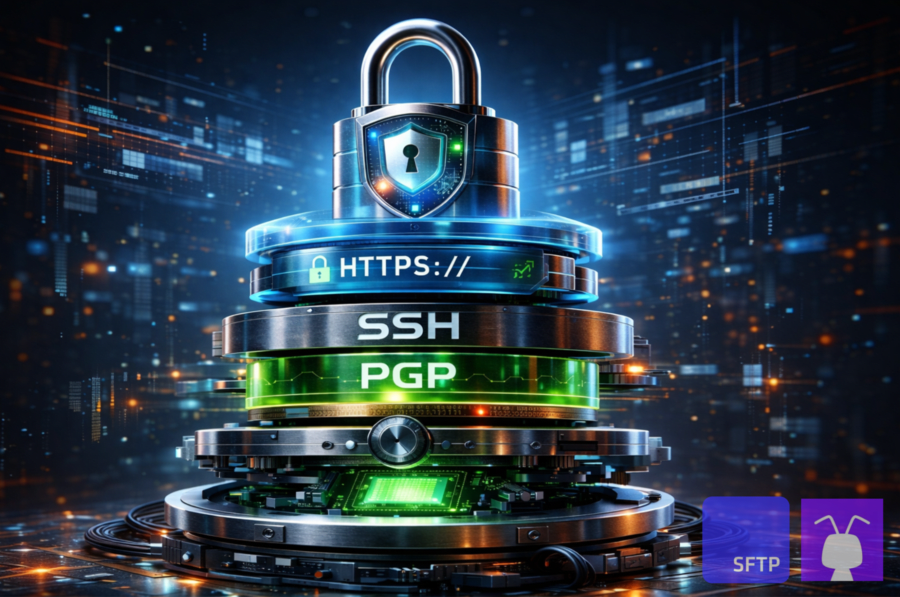
What am I trying to protect: data in transit, files at rest, or both?
TLS, SSH, PGP, and at-rest encryption solve different parts of the same problem. TLS (HTTPS, FTPS) and SSH (SFTP) encrypt data in transit, meaning they protect the connection (the “channel” and what it contains) while a transfer is happening.
At-rest encryption encrypts stored data inside the storage layer after the transfer completes, so the platform isn’t holding vulnerable plaintext on disk. PGP (OpenPGP) encrypts the file itself, so the file can remain encrypted even after it’s downloaded, forwarded, backed up, or copied into other systems.
The goal of this guide is to help you choose what you need: transport encryption only (and what kind), transport plus at-rest encryption, or file-level encryption on top.

What is encryption over the wire/in transit?
Encryption in transit protects a file while it’s travelling between two systems. The network traffic is encrypted so someone in the middle can’t read the contents or alter the transfer without being detected. TLS is used for HTTPS and FTPS, and SSH is used for SFTP. It’s the part most people mean when they say “encrypted transfer,” and it’s the layer that TLS and SSH are actually designed to provide.
Read our SFTP encryption post for more technical detail on the ciphers, algorithms, and SSH cryptography that power it.
What is encryption at-rest?
Encryption at rest protects the stored copy after the transfer is finished. The file is encrypted in the storage layer, typically using server-side, symmetric encryption such as AES-256, so the underlying storage media is not holding readable plaintext.
This often gets confused with PGP: at-rest encryption protects storage, but it doesn’t mean the file stays encrypted everywhere after download. When an authorised user or service reads the file, the storage system decrypts it as part of that normal read. In other words, access control is the part that matters most since, without it, encryption is meaningless.
What is TLS encryption in file transfer?
TLS is a security protocol that sits underneath an application protocol (like HTTP, FTP or SMTP) and protects the network traffic while data is moving between a client and a server. It does three things, primarily: it proves the server’s identity using certificates, it negotiates fresh session keys, and it encrypts and integrity-protects the traffic so it can’t be read or altered in transit.
In file transfer workflows, TLS most often appears as part of HTTPS and FTPS, meaning those protocols use TLS to secure the session. HTTPS is HTTP protected with TLS, and FTPS is FTP protected with TLS. The key point is simple: when you’re using HTTPS or FTPS, TLS is the security layer encrypting and integrity-protecting the traffic in transit.
HTTPS over TLS: Web and API transfers
You use HTTPS when the workflow is web-based: meaning browsers, portals, share-links, and application-to-application transfers over API, etc. It’s a natural fit with standard web authentication and API gateways, and it is simpler to use across networks because it behaves much like standard web-traffic.
FTPS over TLS: FTP-style partner transfers (explicit and implicit)
FTPS is FTP protected with TLS. It tends to come up when a partner still runs FTP-based tooling but needs encryption in transit. You’ll see explicit FTPS, where the session starts as FTP and then upgrades to TLS, and sometimes implicit FTPS, where TLS is required immediately on connect.
Both use TLS for in-transit protection, but FTPS can be fussier than HTTPS in real networks because FTPS (just like the original FTP) uses two separate control and data channels.
What is SSH encryption in file transfer?
SSH is also a security protocol that protects network traffic while data is moving between a client and a server. It does three things, primarily: it verifies the server’s identity using SSH host keys, it negotiates session keys, and it encrypts and integrity-protects the traffic so it can’t be read or altered in transit.
SSH and TLS solve the same “in-transit” problem, but they take different approaches to trust and authentication. TLS relies on certificate chains (or public key infrastructure) to prove server identity, and client authentication is often handled at the application layer (or via client certificates in some setups).
SSH, on the other hand, relies on server host keys that clients remember and verify, and key-based login is a common, built-in way to authenticate automated clients. In file transfer workflows, SSH most often appears as part of SFTP, meaning SFTP uses SSH to secure the session.
SFTP over SSH: automated transfers and key-based access
SFTP is generally used for automation because it works well with unattended transfers, scripts, schedulers, and system-to-system pipelines. SSH keys fit this model because you can issue a separate key per job or system, assign that key to a specific account and permissions, and revoke it cleanly when access should end, without hunting down one shared password across multiple scripts.
The main idea is that SFTP gives you SSH’s in-transit encryption with an access model that stays workable as transfers become frequent.
What is PGP (OpenPGP) file encryption, and when do I need file-level encryption?
PGP (and OpenPGP) encrypts the file itself before it is sent or stored. Tools like GnuPG (GPG), the common open-source OpenPGP implementation, turn the file into “scrambled” data and it stays that way wherever it goes until someone decrypts it.
You choose file-level encryption when you don’t just care about a safe transfer, you also care about what happens after delivery: the file may be downloaded, copied into other systems, forwarded, or kept for a long time outside your control.
Public key vs private key: What encrypts, what decrypts
The public key encrypts (locks) the file. The private key decrypts (unlocks) the file. You can share the public key so others can encrypt files for the right recipient. The private key must be well protected, because anyone who has it can decrypt the files.
File-level vs “encrypted at rest”: Why this is not the same thing
Encrypted at rest means the storage system encrypts data while it sits on disk, but it will decrypt it during a normal authorised download. File-level encryption means the file stays encrypted even after it is downloaded or copied, because the storage system never has the key to decrypt it. Essentially: at-rest encryption protects the storage layer, PGP protects the file wherever it ends up later on.
Do I need PGP if I already use SFTP, FTPS, or HTTPS?
Not always. SFTP, FTPS, and HTTPS encrypt the transfer in transit, and encryption at rest protects the copy stored on the file transfer service. PGP is what you add when you need the file itself to stay encrypted after it is downloaded and copied elsewhere.
When transport encryption is enough
Transport encryption is enough when the main risk is interception during transfer and the receiving systems are trusted. In that case, access controls, audit logs, and retention rules usually matter more than adding file-level encryption.
When file-level encryption is enough
File-level encryption is the right choice when a copied file must remain unreadable outside your control. This is common when files are widely distributed or end up in third-party systems you can’t reliably audit.
When layering PGP over TLS or SSH makes sense (layers of encryption)
Technically, a PGP-encrypted file could travel over an unencrypted protocol and still keep its contents confidential. Layering PGP on top of SFTP, FTPS, or HTTPS is about more than the file bytes: the protocol also encrypts authentication, commands, directory listings, and metadata. Layering makes sense when you need both an encrypted session and a file that stays encrypted after download. A common pattern is to encrypt the file before upload, transfer it over SFTP, FTPS, or HTTPS, and decrypt only on the receiving side.
Encrypting on upload vs before transfer:
You can invert the flow: upload a clear-text file over an encrypted protocol and have the server immediately encrypt it with PGP and delete the unencrypted copy. That removes encryption work from the uploader but leaves a brief window where the data exists unencrypted on the server, so it is usually less desirable than encrypting on the client first.
PGP for integrity and origin:
PGP is also used to sign files, not only to encrypt them. The sender signs with their private key, and the receiver verifies the signature with the sender’s public key to confirm where the file came from and that it was not altered in transit or by an intermediary.
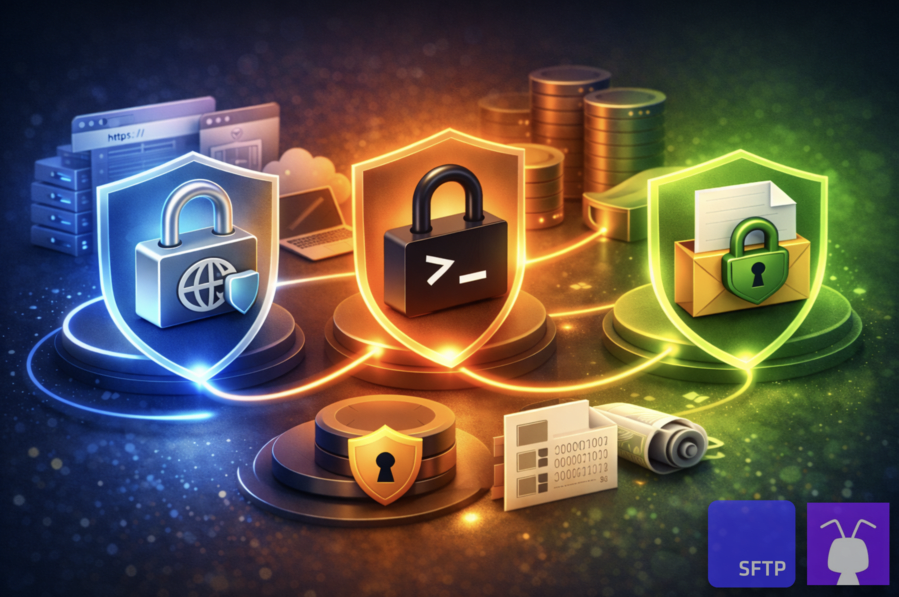
How does this map to SFTP To Go workflows: SFTP, FTPS, HTTPS, and PGP?
SFTP To Go is a multi-compliant MFT that encrypts transfers in transit and stored files at rest. When file-level encryption is also required, native file automations can PGP encrypt or decrypt files inside the managed file transfer environment, with PGP keys stored encrypted.
Most teams use different protocols in different situations: SFTP for automated and system-to-system transfer, FTPS where partners require it, HTTPS for browser and API access, and PGP when the file itself needs to remain encrypted beyond the transfer. PGP processing can happen before transfer on the client or as part of an event- or schedule-triggered SFTP To Go workflow.
For example, a workflow can receive a PGP-encrypted file, decrypt it, move it to the required folder, and then send a notification or webhook; or encrypt an outgoing file before copying it to its next location.
How does encryption choice affect compliance and breach fallout (HIPAA, GLBA, GDPR, SOC 2)?
HIPAA, GLBA, GDPR, and SOC 2 all reward the same basics: encrypt data in transit (TLS or SSH), encrypt stored copies at rest, and prove access control and logging.
If you must share files with personal or customer information, encrypting them with PGP/OpenPGP (using tools like GPG) goes further: most privacy regimes treat strongly encrypted files as “safer” in a breach, and many (including GDPR, HIPAA, and GLBA) provide some form of safe harbor or reduced breach-notification duties if the data stays unintelligible without the key.
Healthcare data (HIPAA): In-transit vs file-level impact
HIPAA expects ePHI to be encrypted in transit and accessed under tight, logged controls. PGP is not mandatory, but when ePHI is strongly encrypted and keys aren’t compromised, it may not count as “unsecured” ePHI.
That can reduce breach impact and, in some cases, narrow notification and remediation obligations. In practice, file-level encryption is most useful for off-platform exports, reports, and feeds that leave your core systems and may be stored, forwarded, or archived in places where you can’t fully control or monitor access.
Financial data (GLBA): Protecting customer information in transfers
GLBA covers customer financial information like account numbers, transaction histories, tax records, and loan files. Encrypted transfers, least-privilege access, and audit trails are baseline expectations for systems that handle this kind of data.
PGP helps when these files move into systems downstream, long-term archives, or vendor tools you don’t fully control, because the payload stays encrypted outside your environment. Where regulators accept that breached data was strongly encrypted and keys remained secure, organizations are often treated more favorably in enforcement and notification requirements, especially for bulk data exports.
Privacy regimes (GDPR): Encryption as a risk-reduction control
GDPR treats encryption as a risk-reduction control for personal data and, under Article 34, strongly encrypted data that remains “unintelligible” without the key may be exempt from notifying each affected individual after a breach (which has reputational benefits).
GPG adds this protection at the file level: the encryption travels with the file, so a misaddressed encrypted attachment still protects content, unlike TLS, disk, or basic database encryption (TDE), and it supports GDPR’s “data protection by design” principle in Article 25.
Because GPG needs specific private keys, it also mitigates insider and “root” compromises, and OpenPGP signatures provide digital signatures that support GDPR Article 5 accountability by proving origin and detecting tampering, which aligns with GDPR’s integrity and authenticity expectations.
Audit frameworks (SOC 2): Evidence, access controls, and key management
SOC 2 is about company data controls and evidence: encryption in transit, encryption at rest, access control, and audit logs for systems that store or process customer data. Using TLS, SSH, and storage encryption, plus PGP for especially sensitive exports, shows that you consistently protect data beyond a single system boundary. How you store, grant, rotate, and revoke encryption keys (including OpenPGP keys) also maps directly to SOC 2 requirements.
Together, these controls and key-management practices become evidence that your confidentiality controls are defined, enforced, and repeatable across both internal workflows and third-party integrations.
In conclusion
If the workflow uses a browser, a Share Link, or an API, you’re usually looking at HTTP over TLS (i.e. HTTPS). If a partner insists on FTPS, it’s still TLS, just applied to FTP. If you’re running scheduled jobs or partner feeds with SSH keys, SFTP over SSH is the best path.
From there, ask questions like: how sensitive is the data, how much do you trust the transfer channels and everyone who can access the file, and does the receiver need to verify where it came from. When the answers point to higher risk, add PGP: encrypt the file before upload so it stays encrypted after download, and use signatures so the receiver can verify integrity and origin.
The good news is that if you want a seamless and secure way to run all three transfer options without hosting anything yourself, you can use SFTP To Go for SFTP, FTPS, or HTTPS with S3-backed encrypted storage, then use native file automations to add PGP encryption or decryption when the workflow also requires file-level protection.
Frequently asked questions
Does “encrypted at rest” in storage replace PGP for sensitive file sharing?
No. At-rest encryption protects the copy sitting in storage, but the file is readable again as soon as an authorised user downloads it. PGP keeps the file itself encrypted even after it’s been downloaded and copied around.
Where should PGP private keys live if I automate transfers?
On the systems that decrypt the files, not on the file transfer service. Ideally keep them in a secrets manager or HSM; otherwise on a locked-down server with tight access controls, backups, and a plan for rotation and revocation. It’s also good practice to use a passphrase to protect your private keys.
What’s safer for file encryption: OpenPGP or password-protected ZIP?
OpenPGP, in most real-world setups. Password-protected ZIP often fails because people pick weak passwords, reuse them, or share them insecurely.
What’s the most common way teams accidentally defeat their own encryption?
They create plaintext copies without noticing: decrypting in shared folders, leaving “temporary” exports lying around, logging file contents in job output, or sending the password or private key through the same channel as the file.